Building Maintenance Management for Field Teams
Building and property maintenance teams handle tenant requests, planned servicing of lifts, pumps and generators, and contractors across many sites. How to run all of it from one system.
Building maintenance teams look after whatever keeps a property working: lifts, water pumps, generators, air conditioning, fire equipment, lighting and plumbing. A property manager with several buildings deals with dozens of requests a week, planned servicing that has to happen on time, and technicians spread across sites.
Three kinds of work
- Requests from tenants and building managers: a leak, a broken light, a lift out of order.
- Planned maintenance: monthly generator runs, quarterly pump servicing, the yearly fire equipment inspection.
- Projects such as refurbishments and upgrades, usually with contractors.
Most of the trouble starts when these live in different places: requests in email, planned work in a spreadsheet and projects in someone's head.
Organise by building and equipment
Set up each building as a site with its own details:
- access notes covering plant room keys, the security desk, parking and times to avoid;
- equipment registered as assets, meaning each lift, pump, generator and chiller, with warranty details and manuals;
- the client, whether that is the owner, a managing agent or a tenant association.
Every job then belongs to a building, and often to a piece of equipment, so the history fills in as the work is done.
Handling requests
Give building managers or tenants one way to raise a request, with the building and a preferred time. Look at every request the same day, then either turn it into a job or decline it with a reason they can see. Let them follow progress so they do not have to call.
Scheduling planned maintenance
Set up each planned task once with the building, the equipment, the checklist and how often it repeats. The system should then create the visits ahead of time and show what is overdue. When a round covers several units in one building, one combined visit with a checklist line per unit usually works better than separate jobs.
Technicians across sites
- Jobs arrive on the phone with the building's access notes and the equipment's history.
- Technicians clock in with location, wherever they start.
- Parts used are recorded against the job and taken from stock.
- Problems such as no access or parts unavailable are reported straight away.
Reporting to clients
Property owners want to see that their building is being looked after. Give them, per building, jobs completed, overdue planned visits, response to requests, and asset histories they can check.
In Movtro
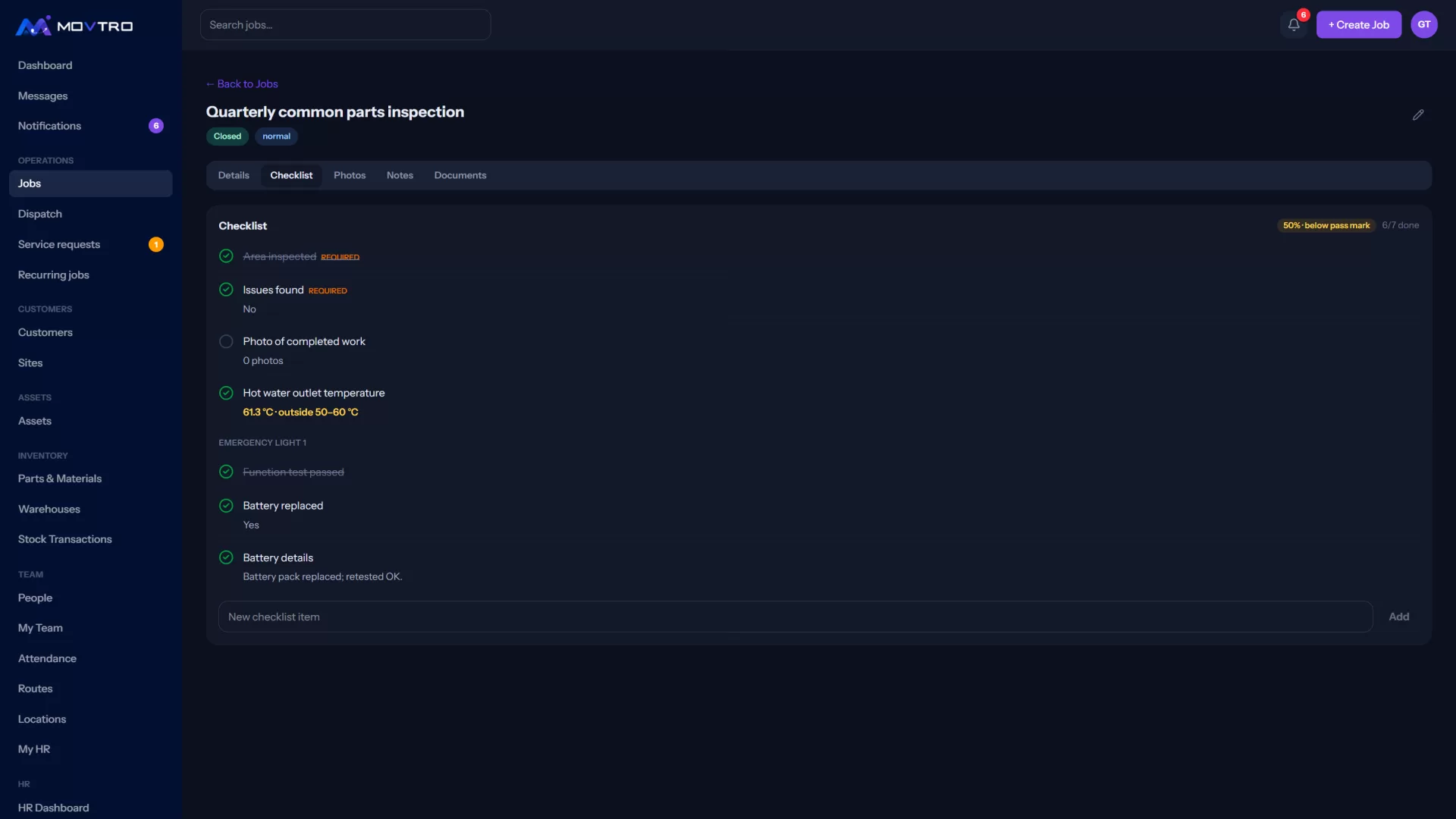
In Movtro each building is a site with access notes, and equipment is registered as assets with status, warranty details, documents and a job history. Building managers with portal access raise service requests, which the office turns into jobs or declines with a reason. In the portal they follow progress and see photos and sign-off. Recurring jobs create planned visits ahead of time, either one job per unit or one combined visit, and flag overdue ones.
Technicians get jobs on the phone with checklists, record parts used from stock, report problems and can work without signal. Reports cover jobs, customers and assets.
Movtro does not handle project budgets, tenant billing or contractor purchase orders.
Related reading: facility maintenance requests, facility workforce management and elevator maintenance. Or start free.