Managing Fibre and Cable Installation Crews
A fibre-to-the-home rollout is judged on installs per day and first-time activation. How to run installation crews, capture proof of each install and keep equipment records accurate.
Fibre installation is volume work. An ISP or contractor running a rollout counts success in installs per crew per day, first-time activations and the number of customers who need a second visit. Each failed or repeated install costs money and tries the customer's patience.
Plan the day by area
Group each crew's installs by neighbourhood and put them in order. Confirm appointments the day before, because a customer who isn't home wastes more installation time than anything else.
A standard install, every time
Write the install out as a checklist in the order crews actually work:
- Confirm the customer and the service ordered.
- Survey the route from the drop point.
- Run and secure the drop cable.
- Install the termination box and the ONT or router.
- Test signal levels and speed.
- Show the customer the connection working.
- Tidy up, photograph and get sign-off.
Mark the steps that have to be done before the job can close, such as the signal test.
Proof of each install
Installation disputes are common: damaged walls, loose cables, a connection that "never worked". To protect the crew and the company, capture:
- Photos of the termination point, the cable route and the equipment.
- The location when the job started, compared with the customer's address.
- The customer's sign-off at the end.
- Notes on anything unusual, such as a landlord's restriction or a longer drop than planned.
Equipment records
Record the ONT or router installed at each address with its serial number, which makes support and replacements straightforward. Treat crew stock (ONTs, drop cable, connectors) as its own location and record what each install used.
Handling problems in the field
Crews will run into problems: no access, a blocked duct, a customer who isn't ready. They should report them on the job straight away with a reason, so the office can rebook or send a civil team instead of finding out at the end of the day.
Measuring crews fairly
- Installs completed per crew per day.
- First-time completion rate.
- Problems reported by category, since some areas are just harder.
- Repeat visits within 30 days.
In Movtro
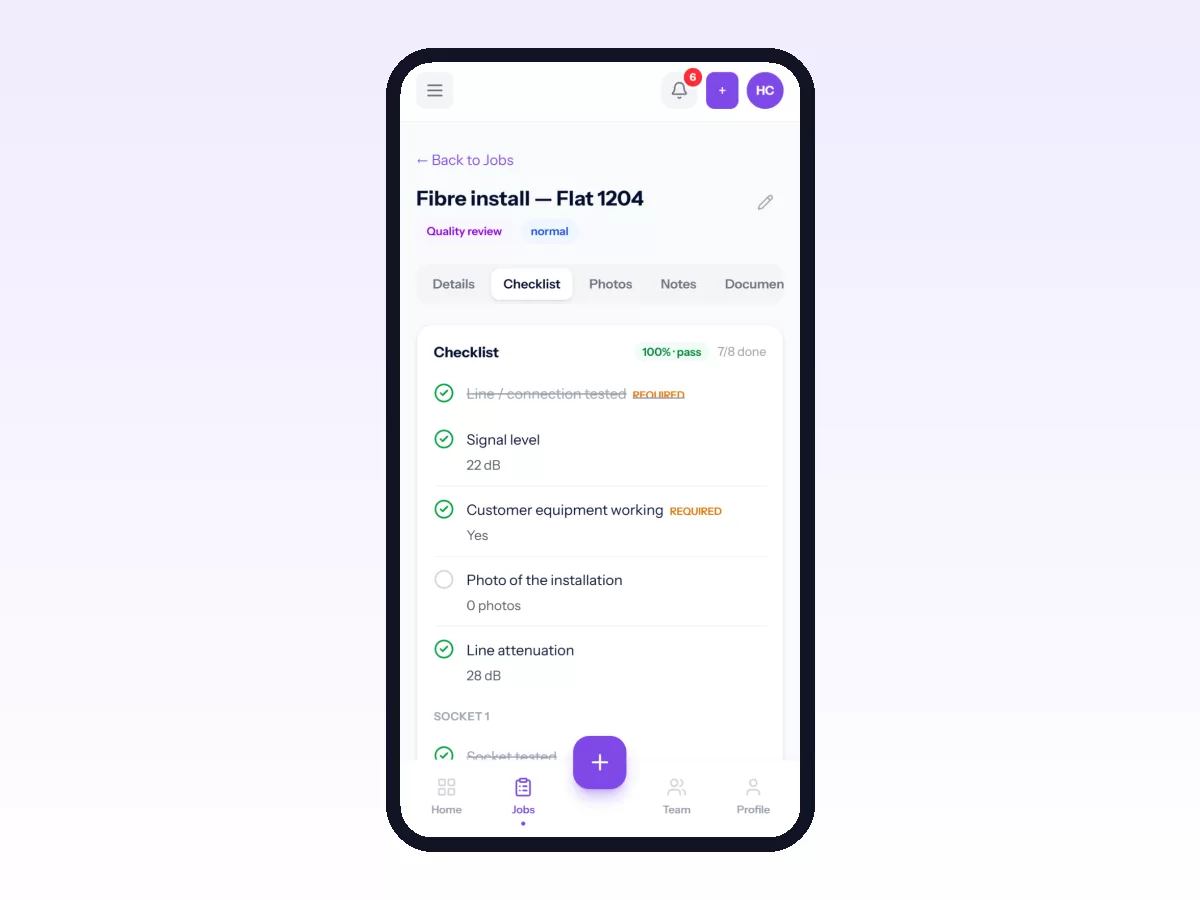
In Movtro each installation is a job at the customer's site. It has a checklist, photos, notes and the customer's signature, all done on the phone and without signal. Required steps must be answered before the job can be completed, signal levels and speeds are number questions with a unit and an expected range, and a step can ask for a photo. Starting the job records where the installer was and how far that was from the address. Problems such as no access are reported on the job with a category. You can record installed ONTs or routers as assets with serial numbers, keep crew stock as its own location and log parts used per job. Each job has one assignee, so for two-person crews assign the crew lead.
Related reading: ISP installation management, telecom field workforce management and proof of service. Or start free.