How to Track Sales Reps in the Field
Track field sales reps by recording the start of the day, each visit and what came of it, and leave everything else alone. This covers what to record, what to skip, and how to introduce it so your best reps stay.
Any sales manager with reps on the road has wondered where they really are at 3pm. It is tempting to track everything. You get better results by recording the moments that matter and leaving the rest alone.
What to record
- Start and end of the working day, with location: clock-in and clock-out from the phone, wherever the rep starts.
- Each visit: the customer, when it started, where the rep was when it started, and when it ended.
- What happened: notes, photos and a short checklist per visit.
With that you can answer almost anything a manager asks: did they work, did they visit, and what came of it.
What to leave alone
- Evenings, weekends and days off. Where someone is outside working time is none of the company's business, and reps will leave over it.
- Every stop and turn. A minute-by-minute trail starts arguments about lunch breaks and traffic and does nothing for sales.
- Private phone use. If reps use their own phones, the app should collect only what it says it collects.
Visit check-ins instead of trails
To find out whether the rep actually visited, compare where they were when the visit started with the customer's address. A visit that started 50 metres away is fine. One that started 12 kilometres away needs an explanation.
Allow for GPS accuracy. Indoors or in dense areas a phone can be off by a hundred metres or more, so flag patterns rather than single readings.
Live location, used sparingly
Live location during working hours helps with a few things, such as sending the nearest rep to an urgent customer or checking on someone's safety. Decide whether it is required, optional or off for your team, tell reps which, and don't use it to question every stop.
Introducing it without losing people
- Explain why: fewer calls asking where they are, fairer comparisons, and proof of their visits if a customer disputes one.
- Write down what is recorded and when, and stick to it.
- Start with attendance and visit check-ins. Add live location only if you need it.
- Use the data to help as well as to catch problems. Point out the reps whose records show good coverage, as well as the ones who fall short.
The best reps usually welcome it, because it proves the work they were already doing.
Reviewing the data
Each week, look at each rep's days worked and late starts, visits completed, visits that started far from the customer, and notes that need follow-up. Each month, compare visits with results in your CRM.
In Movtro
In Movtro, reps clock in and out on the phone with location and GPS accuracy recorded, even without signal. Visits are set up as jobs at the customer's site. Starting one records where the rep was and how far that was from the site, and visits that started far away are flagged. Live location is an organisation setting (required, optional or off) and is shared only while the rep is clocked in. Managers see the latest position and, for reps on the Android app, the day's route.
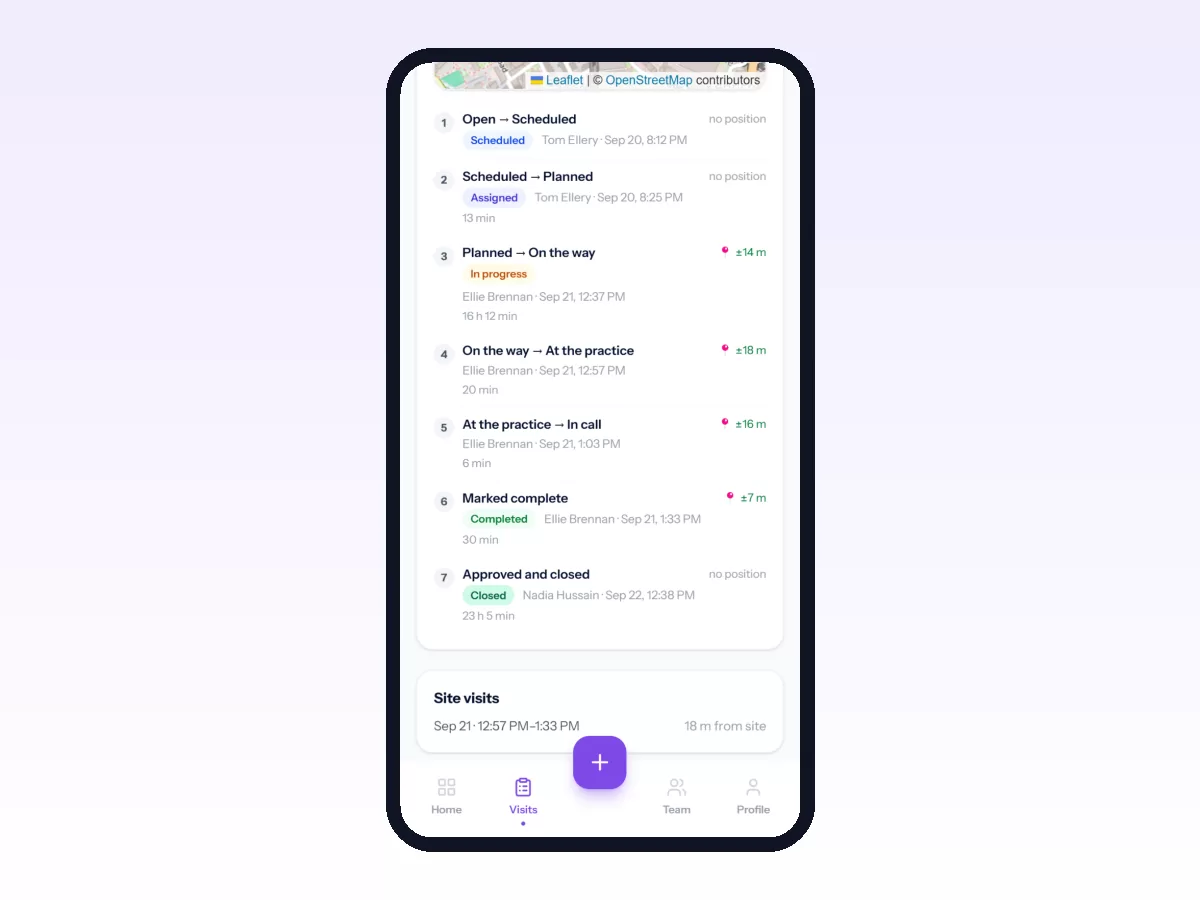
The workforce report shows visits, hours and lateness per rep. Movtro does not handle sales targets, territories or order booking.
Related reading: how to track field employees, field visit tracking and field sales team management. Or start free.