Custom Fields, Your Own Words and Industry Templates
Add your own fields to jobs, customers, sites and assets, use the words your team uses, and see what your industry template set up when you signed up.
Most businesses track details that Movtro's standard forms don't ask for, and most have their own names for the work. You can add both under Administration → Settings → Custom Fields. When you sign up, Movtro also gives you a starting point for your industry.
Add a custom field
A custom field is an extra detail on a job, customer, site or asset: a contract number on a customer, say, or the refrigerant type on an asset.
- Go to Settings → Custom Fields and pick Jobs, Customers, Sites or Assets.
- Click + Add field and name it.
- Choose the answer type: Text, Number, Date, Yes / No or Pick one (type the choices one per line).
- Tick Required if it has to be filled in every time someone adds a new record.
- Tick Show to customers if it should appear in the customer portal and on the service report. Leave it off for anything internal.
- Click Save.
The field shows on the add and edit forms and on each record's page. Change the order with the arrows. Once a field exists its answer type is fixed, which keeps the values already entered valid, so if you need a different type, add a new field.
Deleting a field hides it everywhere. Values people already entered stay on the records but are no longer shown, so think before you delete.
Custom fields belong to the Custom fields & wording feature on the Operations and Operations + People plans. Any fields your industry template set up at signup stay usable on any plan.
Use your own words
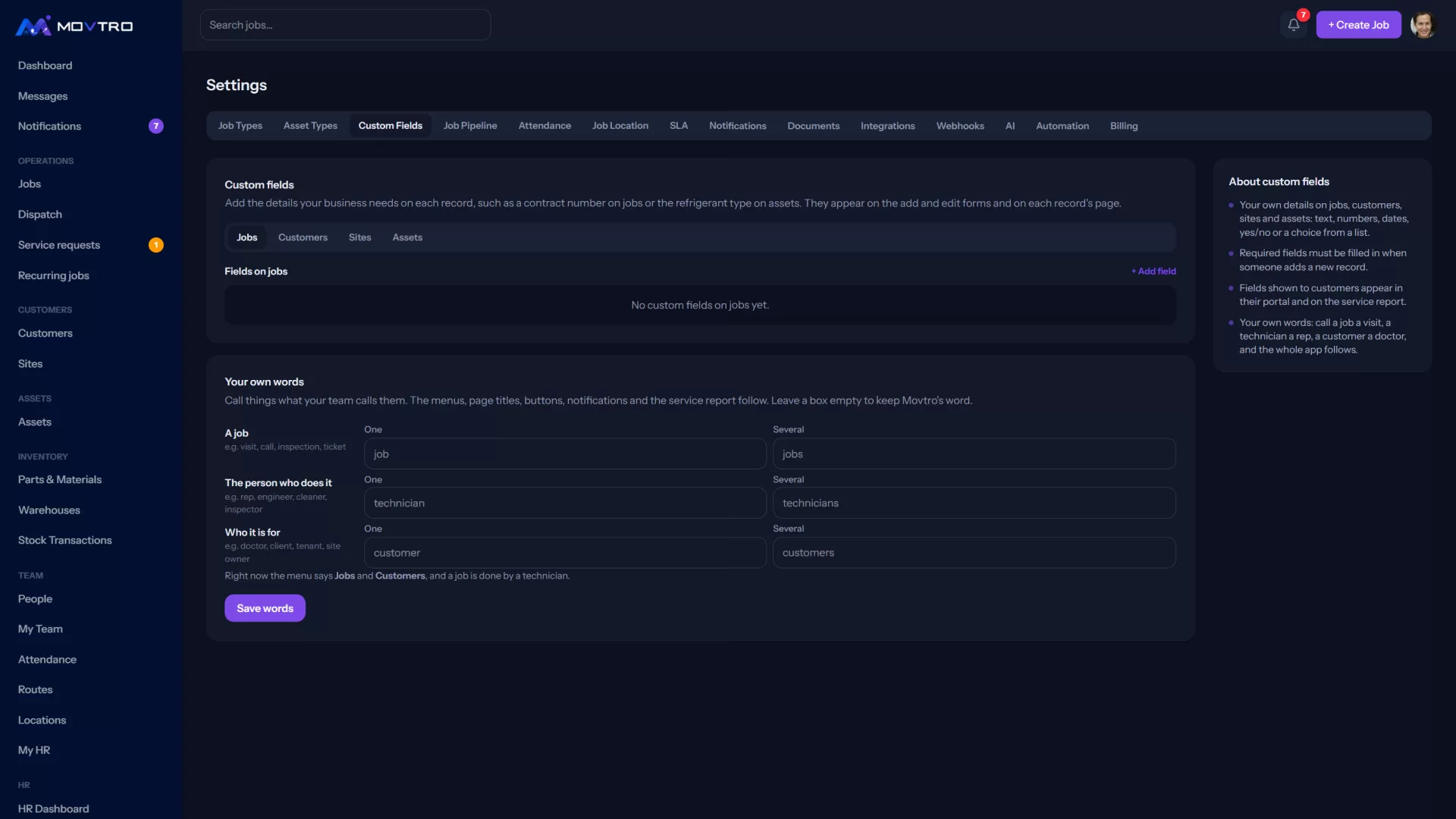
Further down the same page, under Your own words, type what your team calls a job, the person who does it and the person it's for. A pharma team might use visit, rep and doctor; a cleaning company might use job, cleaner and client. Enter the singular and the plural. Leave a box empty to keep Movtro's word.
Click Save words. Menus, page titles, buttons, notifications and the service report switch to the new words the next time anyone loads a page.
Industry templates at signup
When a new company signs up and picks the kind of work it does, Movtro sets up a starting point for that industry: job types with their checklists and completion rules, custom fields, its own words and asset types. The next signup step lists the job types it created, each with its number of questions. Untick any you don't need or add your own.
These industries have a template: HVAC & building services, Maintenance & facilities, Cleaning, Pest control, Installation trades, Equipment service, Inspections & surveys, Field visits, Construction crews, and Utilities & telecom. If you choose Something else, you start with the basics only.
Whatever a template sets up is ordinary data you can edit. Change checklists under Settings → Job Types, fields and words under Settings → Custom Fields, and asset types under Settings → Asset Types.