Proof of Completion for Delivery and Installation Crews
Companies that deliver and install furniture, appliances or equipment get disputes about damage, missing items and poor installation. How to capture the proof at the door that settles them.
Companies that deliver and install (furniture, appliances, air conditioners, gym equipment, kitchens, office fit-outs) finish every job at the customer's door. What happens there decides whether a complaint a week later gets a quick answer or turns into a costly argument.
The disputes you want to settle
- "It arrived damaged."
- "An item was missing."
- "They scratched the floor."
- "It was never installed properly."
- "Nobody came."
You settle each of these with evidence captured at the time.
Proof at the door
Before leaving, the crew records:
- Photos of the item delivered and installed, taken from set angles, and of the area around it.
- A checklist of what was done: items delivered, installed, tested, packaging removed, customer shown how to use it.
- The customer's signature confirming the job is complete.
- Notes on anything unusual, such as existing damage to the property, a customer's request or an item refused.
- Time and place: when the job started, and where the crew was compared with the address.
Photograph existing damage before starting work. For installation crews, no other habit is as useful.
A consistent checklist
Every crew should follow the same steps for the same product type. For an air conditioner that might be: unit positioned, brackets secured, piping and drainage run, electrical connected, tested, area cleaned. Mark the steps that have to be done before the job can be closed.
Customers who are not home
Agree a rule for failed deliveries. The crew photographs the door and the address, notes the time and reports it straight away so the office can rebook.
After the job
Let the customer see the job record: the photos, what was done and the signature. Give them a way to approve the work or report a problem, and follow up quickly when they report one.
Delivery or installation software?
Pure delivery operations with many drops a day need transport software for route optimisation, vehicle loading, barcode scanning and delivery windows. Businesses that deliver and install, where each stop is a job of an hour or more, often suit a field service system better, because the installation is where things go wrong.
In Movtro
In Movtro each delivery and installation is a job at the customer's address. It has a checklist (required steps block completion), photos, notes and the customer's signature, all captured on the phone, with or without signal. Starting the job records where the crew was and how far that was from the address. Problems such as no access are reported on the job with a category. Customers with portal access see progress, photos and sign-off, and can approve or reject the work. Each job has one assignee, usually the crew lead.
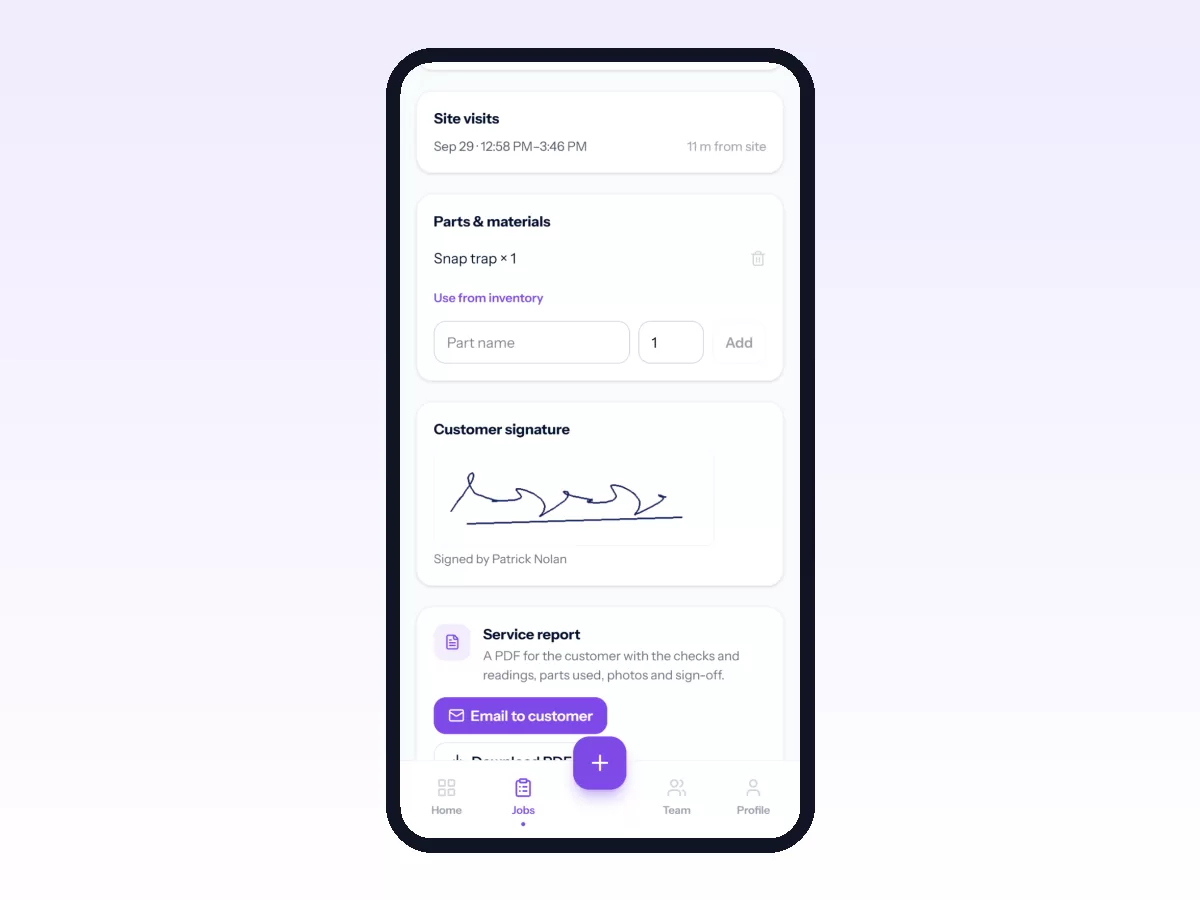
Movtro is not a transport system. It does not optimise delivery routes, plan vehicle loads or scan barcodes. If every delivery needs a signature, set its job type to require one, and the job can't be completed without it.
Related reading: proof of service, the customer portal for field service and appliance repair. Or start free.