The Customer Portal That Ends "Where Is My Technician?"
A customer portal removes most status calls instead of making them quicker to answer. What customers should be able to do in it, what to keep out, and how it changes your priority field.
"Where is my technician?" costs field service businesses more than any other question. Answering it is easy. The cost comes from how often it gets asked in a day and what your office stops doing each time.
The call comes in, someone checks the schedule, rings the technician, waits, then rings the customer back. That is five minutes of two people's time, over and over through the day, to pass on something the system already knows.
What a customer portal replaces
A portal doesn't make that call quicker to answer. It takes away the whole type of work.
When customers can see their own jobs, they stop ringing about status. When they can raise requests themselves, you stop typing up voicemails. When they can approve finished work, you stop chasing sign-off by email.
The savings land in your office rather than with the field team, which is why portals tend to be undersold. You measure them in calls that never come.
What customers should be able to do
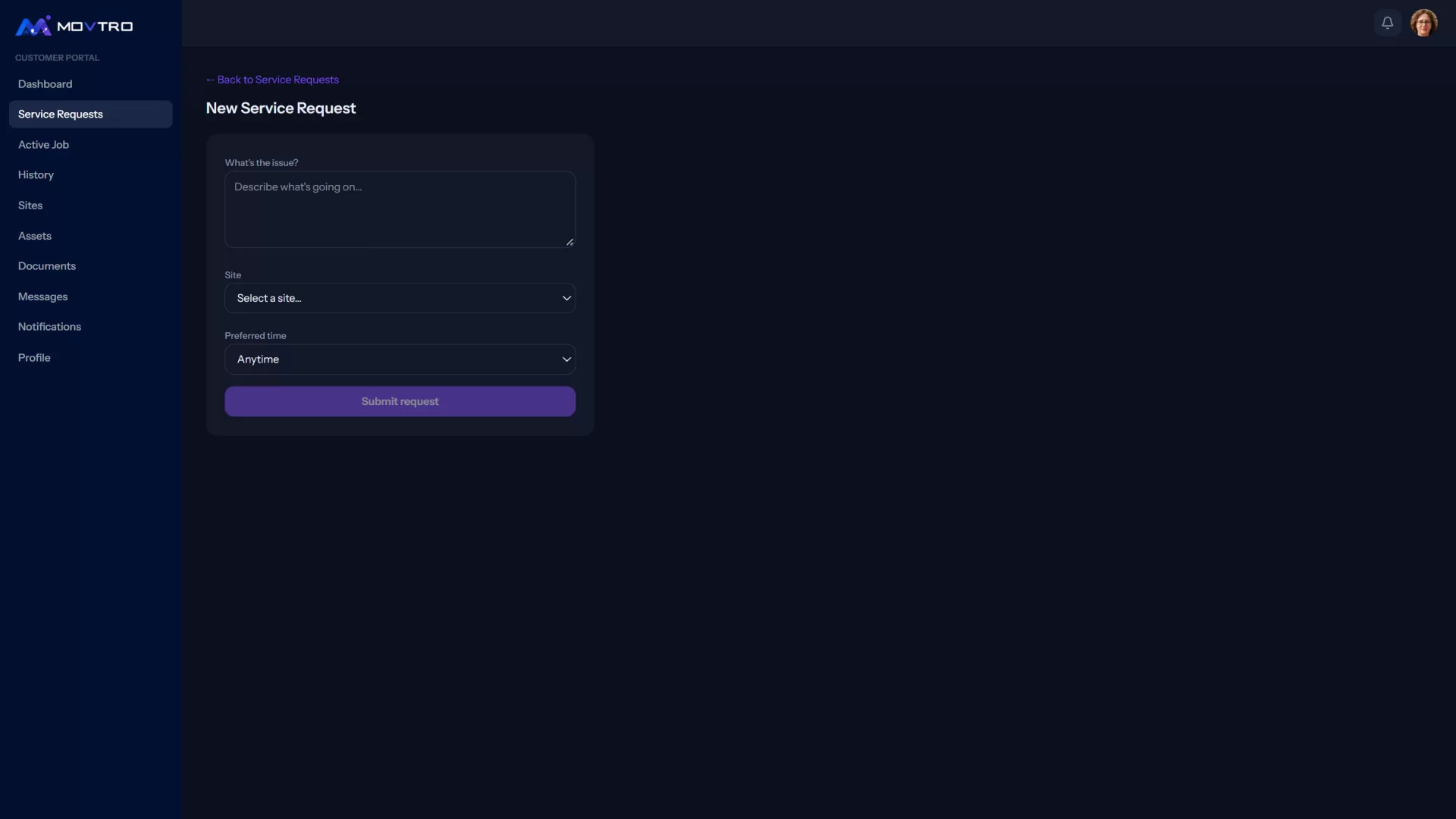
Raise a request in a structured way: which site, which equipment, what symptom, how urgent. This matters for more than convenience. Structured intake improves diagnosis before dispatch, and poor diagnosis is one of the main causes of repeat visits. See what first-time fix rate really measures.
See the active job: its status, the scheduled window and where the technician is relative to that window. This is the call you are getting rid of.
Know when someone is arriving. With tracking and arrival detection, the customer can arrange access instead of waiting in all day.
Approve the work with a signature and completion approval as the job finishes, while the technician is still on site and any dispute is cheap to settle.
Read the service report: what was done, what was found and what was used.
Look back at their own past jobs, sites and equipment. History is what makes customers open the portal on purpose, and not only to track a visit.
What to keep out of it
A portal shows customers part of your operation, so choose what they see.
Keep internal notes internal. Technicians need to be able to write candidly, and if their notes reach customers they will stop writing anything useful.
Keep your scheduling logic out. Customers should see their window, not the dispatch board, the technician's other jobs or who else was considered for the visit.
Never show anything belonging to another customer. That sounds obvious, but the portal is where a tenancy mistake turns into a breach, so ask any vendor about it directly.
Limit live tracking to the relevant job. Showing where a technician is while they head to a customer is useful. Showing it for the rest of the day is surveillance of your own staff, and your team will notice.
Rolling one out without irritating people
Don't launch to everyone at once. Begin with the ten customers who ring most often. They benefit most and will tell you what is missing.
Don't force it. A customer who would rather phone should still be able to. A portal introduced as "we no longer take phone calls" breeds resentment and loses customers. People adopt it because it's quicker than ringing.
Load it with history before customers log in. An empty portal gets closed and forgotten. If their past jobs and sites are already there, the first visit shows them why it's worth using.
Notify them when something changes. Nobody gets value from a portal they never open. Notifications for the events customers care about (technician assigned, on the way, work completed, approval needed) are what bring them back.
The second-order effect
There is a change in customer behaviour that is easy to miss: once customers can see status, they stop inflating the urgency of their requests.
If customers can't see what's happening, they mark everything urgent, because urgency is the only lever they have. A customer who can see the job booked for Thursday, and see it still booked for Thursday, stops escalating. Your priority field means something again, and dispatch decisions get better because the inputs are honest.
This takes a couple of months to show, and it is worth more than the drop in calls.
In Movtro
Movtro's customer portal includes customer login, a dashboard, raising service requests, the active job with tracking and technician arrival, completion with the visit's photos and signature, a service report to download as a PDF, the customer's approval, job history, and the customer's sites and assets.
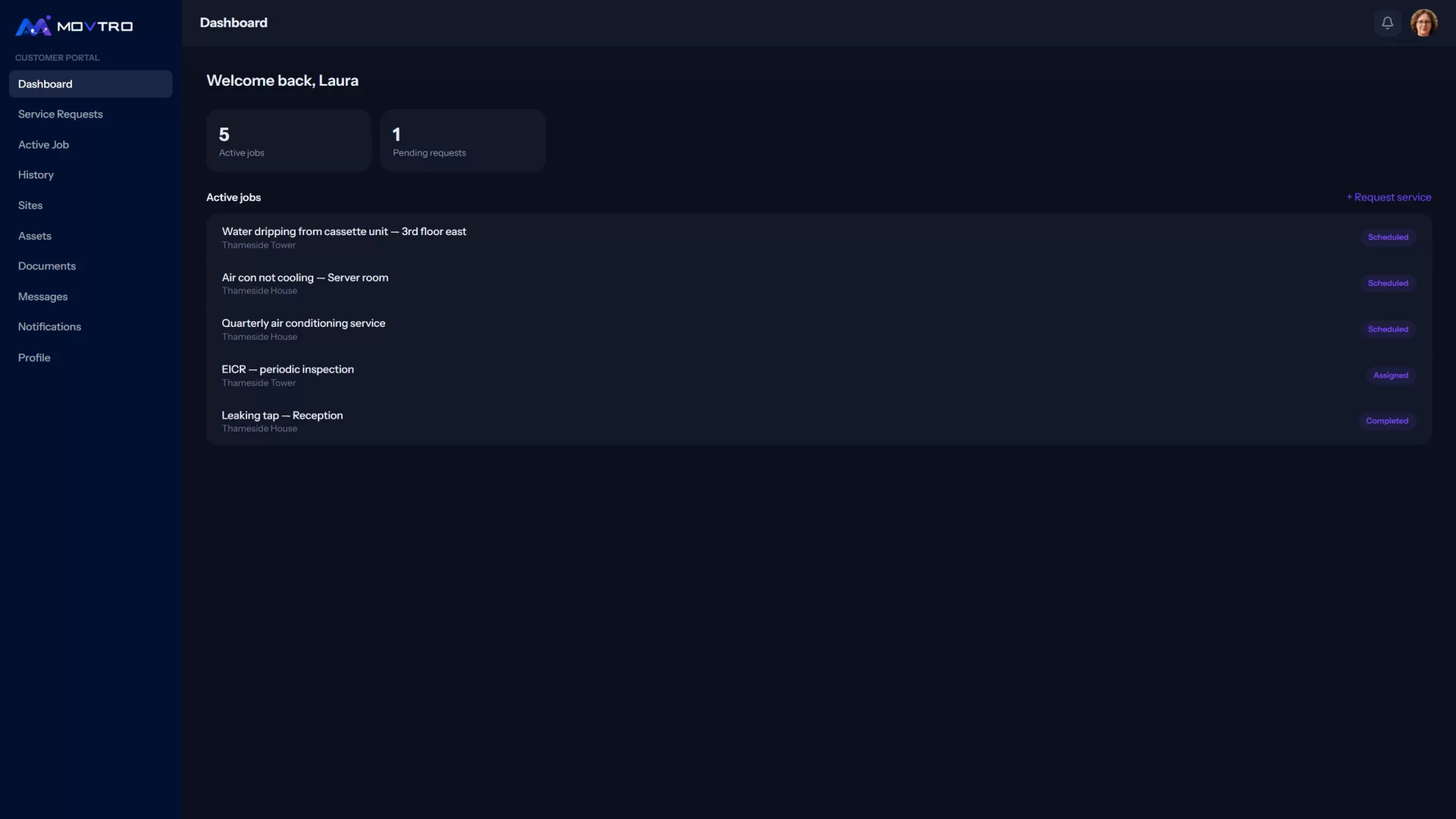
Portal users have their own role and permissions, and they see their own organisation's work and nothing else. Whatever they do in the portal feeds the same jobs, reports and notifications as the rest of the system, so you have no second set of records to reconcile.
If you want the operational basics in place first, see our guide to field service management software.
Related: Facility Maintenance Requests: From Tenant to Technician · How to Add Customers and Sites, With Access Notes · How to Share Job Progress With Customers