Field Service Management Software: A Practical Guide
What field service management software does, the signs you have outgrown spreadsheets, what to evaluate first, and a realistic plan for your first month.
Field service management software is the system a company uses to schedule work, dispatch technicians, track what happens on site and bill for it afterwards. If your team still runs on a shared spreadsheet, a WhatsApp group and a stack of paper job cards, this guide explains what you gain by moving off them and what to look at before you commit.
What field service management software does
Leave the marketing aside and every serious system does five things:
- It holds the work. A job (or work order) records the customer, the site, the equipment, what needs doing, who is doing it and when.
- It gets the right person there. Scheduling and dispatch match jobs to technicians who are available and qualified.
- It captures what happened: notes, photos, checklists, parts used, time on site, the customer's signature.
- It tells everyone. The office sees progress as it happens, and the customer knows when someone is arriving.
- It turns all of that into numbers, with reports on jobs completed, time spent, repeat visits and workload per technician.
Everything else, such as inventory, HR, asset histories and automation, is built on top of those five.
The signs you have outgrown spreadsheets
The trigger is not reaching a certain number of technicians. You need software when specific things start breaking:
- Double-booking. Two jobs land on the same person at the same hour and nobody notices until a customer calls.
- The "where is he?" call. Customers ring the office and the office rings the technician, because nobody can see the answer.
- Re-visits. A technician arrives without the right part or the history of the machine, and the job needs a second trip.
- Invoicing lag. Work finished two weeks ago is still not billed because the paperwork has not turned up.
- Nobody can answer questions about last month. How many jobs did we complete? Which customer takes the most hours? What is our repeat-visit rate? If answering takes a day of spreadsheet work, you are flying blind.
If you recognise three or more of these, staying manual already costs you more than software would.
What to evaluate, in order of what actually matters
1. Whether it works where your technicians work
Field work happens in basements, lifts, rural sites and underground car parks. If the app stops working when the signal does, your technicians will go back to paper, and you will have paid for software that produces worse data than the paper did.
Ask specifically whether a technician can open their assigned jobs, fill in a form, take photos, change a job status and capture a signature with no connection, and have all of it sync when they get signal back. Anything less is a demo, not a field tool. See why offline mode is non-negotiable.
2. Whether the schedule is honest
A calendar that lets you assign anyone to anything is a prettier spreadsheet. The dispatch view should know who is qualified, who is already loaded, who is nearby and what the job promises the customer. There is more on this in technician dispatch best practices.
3. Whether your customers can serve themselves
Every status call your office answers costs money. A customer portal where people raise requests, watch progress and approve completed work removes that whole category of work instead of just speeding it up.
4. Whether it records history against equipment as well as dates
In maintenance work, the most useful question is "what did we do to this chiller?". If service history lives only in a chronological job list, answering it means searching. If the history is attached to the asset, it takes one click, and your technician can read it in the van before walking in.
5. Whether you can get your data out
Look for reports and CSV and PDF exports. If the system cannot hand you your own numbers, take that as a warning about everything else.
The mistakes that sink rollouts
Configuring everything before anyone uses it. Teams spend six weeks building perfect job types and custom fields, then find the technicians wanted something else. Start with one job type and real work.
Leaving the technicians out. The office chooses the software and the field uses it. If the mobile app is an afterthought, adoption fails without anyone saying so: forms get filled in with "done" and the data is worthless.
Migrating everything. You do not need eleven years of history on day one. Bring over customers, sites and open jobs, and archive the rest somewhere you can still read it.
No named owner. Someone has to decide what each job status means and stick to it. Without that, every technician invents their own convention within a month.
A realistic first month
- Week 1: load customers and sites. Create one job type that covers most of your work. Invite two technicians, not twenty.
- Week 2: run real jobs through it alongside your existing process. Expect to change the form.
- Week 3: bring the rest of the field team on and stop the parallel process. Running two systems is worse than running either one.
- Week 4: turn on the customer-facing parts and look at your first month of reports.
In month one you are not optimising anything yet. The aim is that every job exists in one place and every technician puts their work there.
Go deeper
The basics:
- What is field workforce management?: the whole chain, from job to payroll
- What is field force management?: for teams whose work is visits rather than repairs
- Field force management software: what to look for
- Field force tracking software: what it should record
- Mobile workforce management: what the phone has to do, and how to roll it out
- Field operations management: the whole flow, from demand to pay
- Field workforce vs field service management: which one you need
- Managing a distributed field workforce: routines that hold a spread-out team together
- How to digitize field operations in 30 days: a week-by-week plan
Running the work:
- Work order management: the life of a job, from request to sign-off
- Service requests: from customer call to scheduled job
- Field service checklists: getting the work done right every time
- Proof of service: photos, signatures and location
- Mobile field service app: what technicians actually need
- Technician dispatch: sending the right person to the right job
- Technician scheduling: skills, availability and travel
- Field workforce scheduling: skills, availability and workload
- Field technician management: skills, certifications and a fair day
- Field technician tracking: knowing where every job stands without ringing anyone
- Route optimisation for field teams: cutting drive time
- Sales rep route planning: more visits, less driving
- Why offline mode is non-negotiable
- The customer portal: ending "where is my technician?" calls
- Parts and inventory: stores, vans and parts used on jobs
- Equipment service history: every machine's own record
- Preventive maintenance: visits that schedule themselves
- Maintenance work order software: work orders that belong to equipment
- Preventive vs reactive maintenance: getting the balance right
- Maintenance technician productivity: where the day goes
- SLA management: promises you can keep
- Field service automation and field force automation: rules that watch the work for you
- Field service reporting: reports people actually use
- Daily field reports managers actually read
- Field workforce productivity metrics: measuring fairly
- Field service KPIs and first-time fix rate: the numbers worth watching
Your team:
- Field employee attendance tracking: clock-ins that hold up
- How to track field employees without losing their trust
- Time and attendance, clock-in to payroll
- Payroll for field staff: paying from real attendance
- Expenses, reimbursements and advances
- Leave management for field teams
- Announcements field staff actually read
- Field visit tracking: proof of every customer visit
- Field sales team management: visits, attendance and reporting
- How to track sales reps in the field
- Medical representative tracking and merchandiser store visits
- Insurance field agent tracking
Choosing and switching:
- Field workforce management software: a buyer's guide
- How to choose field service management software: a practical selection process
- Field service software for small businesses
- Field service software ROI: what it actually saves
- How to replace Excel and WhatsApp: a four-week plan
- Setting up your first job workflow
- How-to guides: create and assign a job, use the dispatch board, set up recurring jobs and set up attendance
By industry:
- HVAC field service management
- HVAC dispatch software: getting through peak season
- HVAC technician certifications and HVAC parts and van stock
- Maintenance technician management
- Solar installation and maintenance
- Solar installation checklist and solar O&M
- Solar equipment records: inverters, batteries and panels
- Generator maintenance services
- HVAC maintenance agreements
- HVAC service checklist: what every maintenance visit should cover
- Pest control field service management
- Recurring pest control service: contracts, stations and proof
- Pest control service reports and chemical records
- Construction site attendance and construction crew payroll
- Construction site inspection checklist, equipment tracking and daily reports
- Equipment service management
- Medical equipment, industrial equipment and commercial kitchen equipment
- Water treatment and RO plants and ATM and vending machines
- Elevator maintenance
- Fire safety equipment service and inspection
- Electrical contractors
- EV charger installation and maintenance
- Plumbing services
- CCTV and security system installation
- Smart home installation
- Facility workforce management and cleaning staff attendance
- Facility maintenance requests: from tenant to technician
- Building maintenance management
- Cleaning checklists that prove the work was done
- Field inspection management
- Insurance surveys and claim inspections, government inspection teams and loan verification visits
- NGO field staff management
- Agriculture field teams and farm visits
- Telecom field workforce management
- ISP installation management
- Fibre installation crews and telecom tower maintenance
- Appliance repair
- Proof of completion for delivery and installation crews and delivery driver tracking
- Construction workforce management
Where Movtro fits
Movtro covers jobs, scheduling and dispatch, recurring jobs and maintenance plans, live technician location, route planning, attendance, assets and their service history, parts and inventory, documents, a customer portal, reporting and analytics, and HR and payroll. It is one system, so you are not stitching five together. It works offline on the phone and syncs when the signal returns.
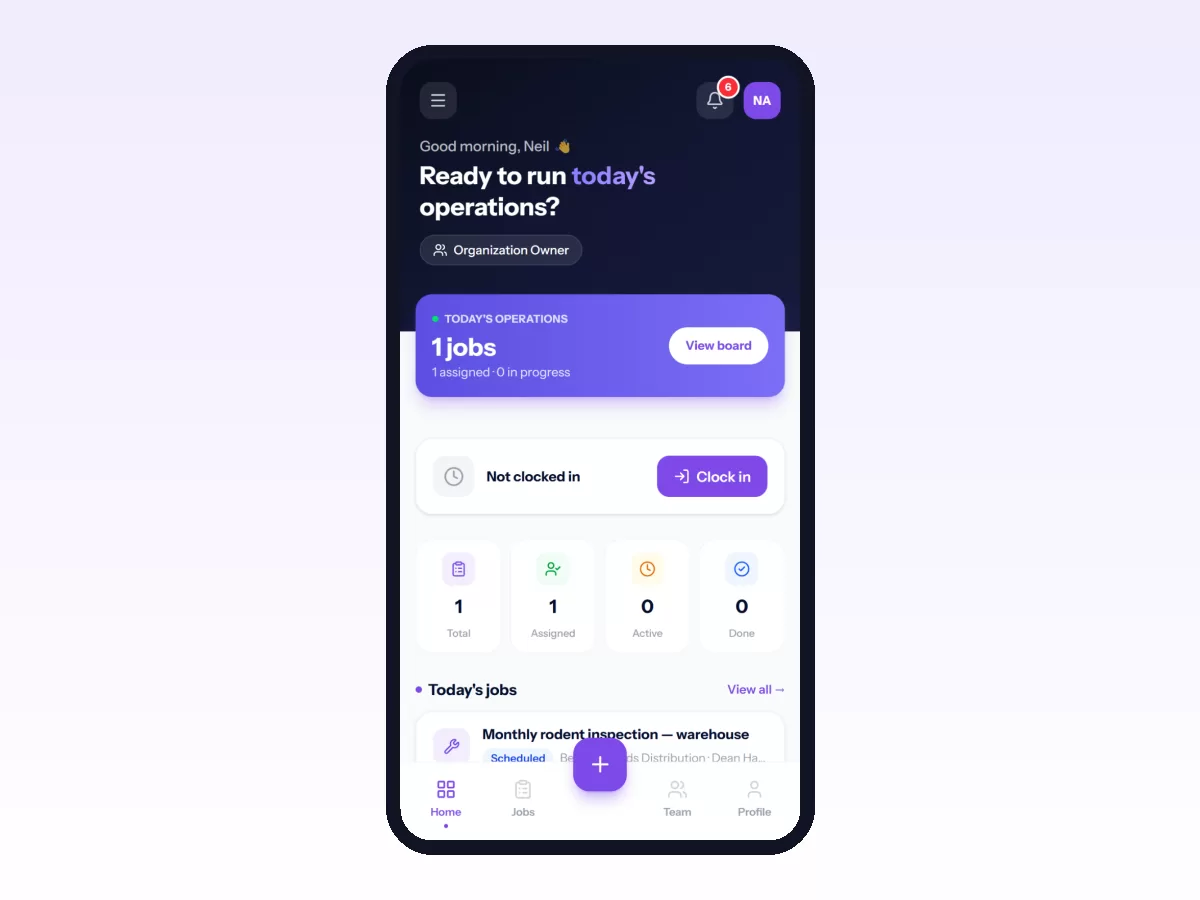
You can start free and put real jobs through it before you decide. See how pricing works or start with your first job workflow.