Leave Management for Field Teams
Leave is harder for field staff than for office teams: the schedule depends on who is available, requests arrive by phone, and balances live in a spreadsheet. How to run leave properly for a mobile workforce.
Field teams have a leave problem office teams do not: when a technician is off, their jobs have to go to someone else. If leave is requested on a phone call and recorded in a spreadsheet, dispatchers find out on the morning it starts.
Set up clear leave types
Write down each type of leave you offer and its rules:
- Whether it is paid or unpaid.
- The annual allocation, in days per leave year.
- Carry forward: whether unused days roll over, and the maximum.
- Approval: which types need it (most) and which do not.
- Documents. Sick leave over a certain length may need a medical certificate.
The usual types are annual, sick, casual and unpaid, plus any your law or policy requires.
Count days properly
A leave request from Thursday to Tuesday is not six days. It is the working days in between, minus public holidays. Keep a holiday calendar and each person's working week, and let the system do the counting. Allow half days too, because many field staff need a morning for a family matter rather than a whole day.
Requests from the phone
Field staff should be able to request leave wherever they are:
- Pick the type and dates, and see the days it will use and the balance left.
- Attach a document if the type needs one.
- Submit, and watch the status change when it is approved or rejected.
Approvals that fit the schedule
Before approving, the approver needs to know who else is off and what work is planned. Approve or reject with a note so the person knows why. Allow cancellation, and return the days to the balance when it happens.
Balances everyone trusts
Each person should see their own balance per leave type, with every change explained: allocation, leave taken, carry forward and manual adjustments. Most leave disputes are about balances nobody can check.
Leave and payroll
Unpaid leave affects pay, and paid leave does not count as absence. When leave, attendance and payroll use the same records, the payroll run knows which days were leave and which were absence, and nothing has to be re-typed.
Common mistakes
- Approving leave without telling dispatch.
- Keeping balances in a spreadsheet only HR can see.
- Counting calendar days instead of working days.
- Treating a missing clock-in on a leave day as an absence.
In Movtro
In Movtro you set up each leave type as paid or unpaid, with an annual allocation, carry forward up to a maximum, and whether approval or an attachment is required. Days are counted from each person's working week, excluding holidays, and half days (morning or afternoon) are supported. Staff request leave from the phone and see their balance. Approvers approve or reject with a note, cancelled leave goes back to the balance, and HR can adjust balances with a reason.
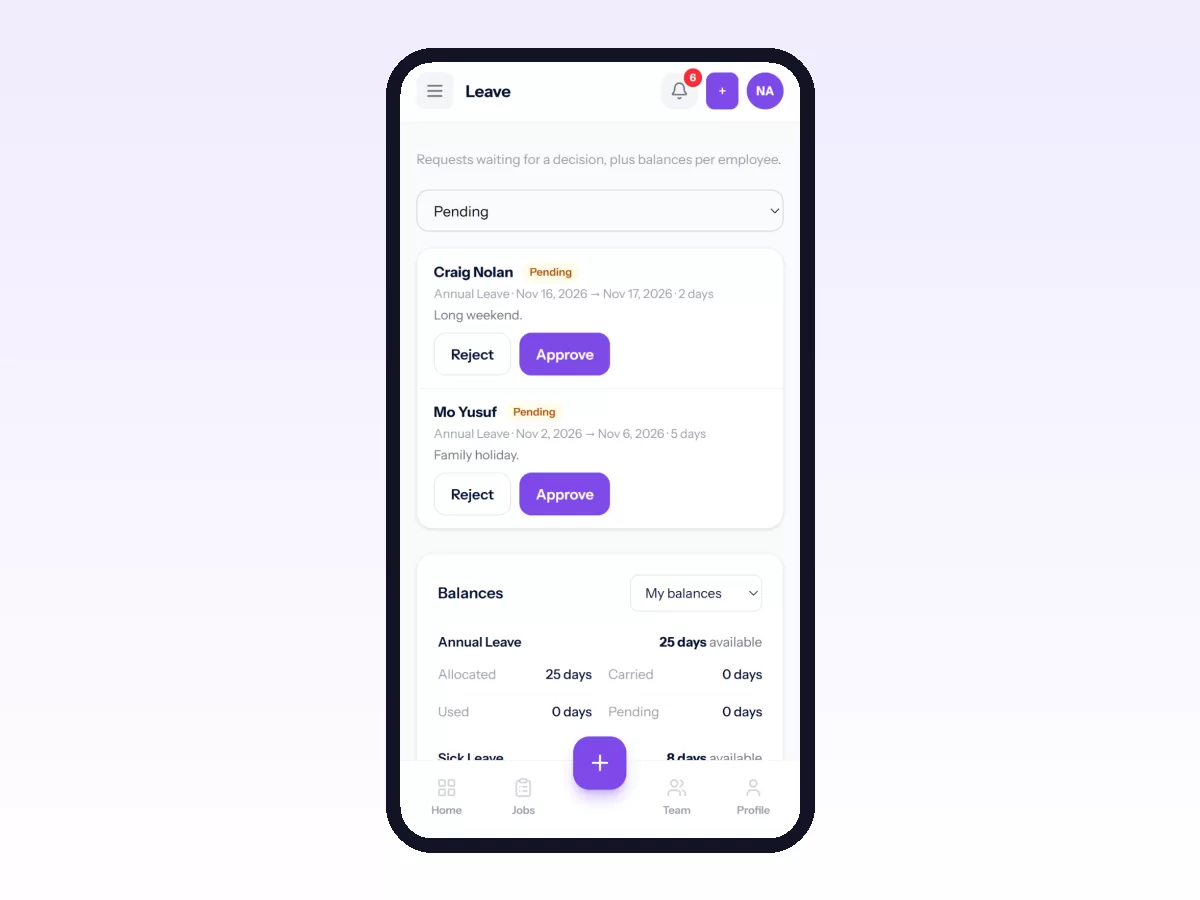
Approved leave feeds payroll, so payable days, paid leave and unpaid leave are worked out from the same records.
The dispatch suggestion does not yet take approved leave into account, so check leave when you assign work.
Related reading: the HR module for field workforce management, time and attendance, clock-in to payroll and payroll for field staff. Or start free.
Related: How to Request and Approve Leave and Salary Advances