Technician Scheduling: Skills, Availability and Travel
A good schedule sends the right technician at a time they can make, without losing half the day in traffic. This is how to build one that still works once the day gets going.
A schedule is a plan for who does which job and when. In field service it has to balance three things that pull against each other: the right skills, someone who is free, and as little travel as possible. Then the first emergency call of the morning arrives and the plan has to cope.
The inputs
Skills. Not every technician can do every job, so record what each person can do and at what level, and assign on that basis.
Availability: working days and hours, leave, training, and what is already booked.
Location. Use where the technician will be just before the job, which is often not where they started the day.
Duration. Base it on what similar jobs have actually taken, which is usually longer than what they should take.
Promises: appointment windows and service levels agreed with the customer.
Building the day
- Place the fixed appointments first, meaning jobs with a promised time.
- Group the rest by area so each technician works in one part of town.
- Order each technician's day to cut out back-and-forth travel.
- Leave a gap in each day for the job that overruns and the urgent call that comes in.
- Check skills and parts for each job before you confirm it.
Scheduling versus dispatching
Scheduling plans the day ahead. Dispatching reacts during the day to the emergency, the cancellation, the job that took twice as long. A schedule with room in it makes dispatching easier. In a packed one, every change becomes a crisis. See technician dispatch best practices.
When the day changes
It will. When it does:
- Reassign quickly and make sure the technician is told.
- Re-order the remaining stops instead of sticking to a plan that no longer fits.
- Tell the customers affected as early as you can.
What to measure
- Jobs completed as scheduled compared with jobs rescheduled.
- Travel time as a share of the working day.
- Overruns by job type, so you can correct duration estimates.
See field service KPIs.
In Movtro
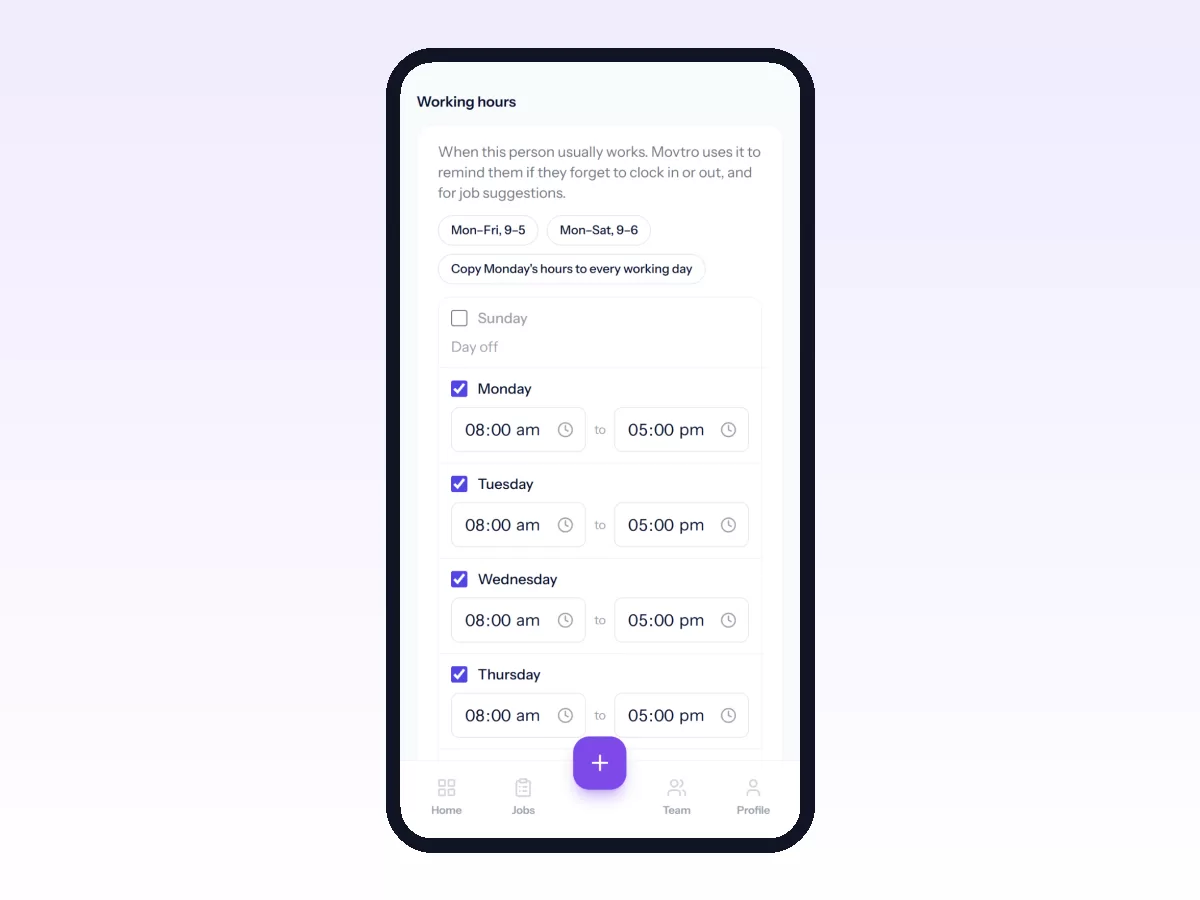
Movtro records each technician's skills, certifications and weekly working hours. Jobs get a date and time and are assigned from the dispatch board, which shows the day's work next to the unassigned queue. Dispatch can ask for a suggested technician; the suggestion weighs skills and experience, current open jobs, availability at the scheduled time and travel time from where each person is now. The technician is notified on their phone. You can plan each technician's day as a multi-stop route with estimated travel times and reorder it by hand as the day changes.
There are two limits. The suggestion leaves out people on approved full-day leave or a holiday and tells you who it left out, but it does not take half-day leave into account. And routes are ordered by hand, not optimised automatically.
See route optimisation for field teams, or start free.
Related: Field Workforce Scheduling: Skills, Availability and Workload · Field Technician Management: Skills, Certifications and Availability · How to Use the Dispatch Board