Field Workforce Scheduling: Skills, Availability and Workload
Scheduling a field workforce means giving each job to someone who can do it, is free, is not overloaded and is close enough. This covers how to do that and where software helps.
Field workforce scheduling means deciding who does which job, and when. That sounds simple until you have twenty people, sixty jobs, three skill levels and a customer who can only do Thursday morning.
For every job, you need answers to four questions.
1. Who can do it? (skills)
Keep a list of skills for each person, with a level where it matters, such as "HVAC, advanced" or "electrical, basic". A job that needs a skill should only go to someone who has it.
Track certifications separately, with expiry dates. A gas-safe or working-at-height certificate that lapsed last month is a legal problem as well as a scheduling one, and you want a reminder before it lapses.
2. Who is free? (availability)
Each person needs set working hours: which days and which times. The schedule also has to know about leave and existing jobs. Most double-bookings happen because availability lives in someone's head.
3. Who has room? (workload)
The fastest technician tends to get the most work until they burn out or cut corners. Count each person's open jobs and spread new work fairly. Rising overtime is an early warning.
4. Who is close? (travel)
For urgent jobs, the nearest qualified person is usually the right choice. For planned work, group jobs by area so nobody crosses the city twice. See route planning for field teams.
Practical rules
- Plan tomorrow today. Schedule planned work the afternoon before, and leave slack for urgent calls.
- Protect the first job, because a late first job delays everything after it.
- Put repeat work on the calendar automatically. Maintenance visits and contract work should not depend on someone remembering them.
- When you override the obvious choice, record why, so you learn what the rules miss.
Common mistakes
- Scheduling from a whiteboard nobody else can see.
- Treating everyone as interchangeable, then sending a junior to a job they cannot finish.
- Ignoring travel time, so a "full day" of four jobs turns out to be two.
- Changing the plan by phone without updating the record, which leaves the office and the field with different versions.
In Movtro
In Movtro each person has skills with a proficiency level, certifications with expiry dates (with a reminder before one expires), and weekly working hours with one window per weekday. When you assign a job, Movtro suggests who to send based on matching skills and proficiency, open-job workload, availability at the scheduled time, and travel time from their live location. You make the choice, and the suggestion shows its reasons.
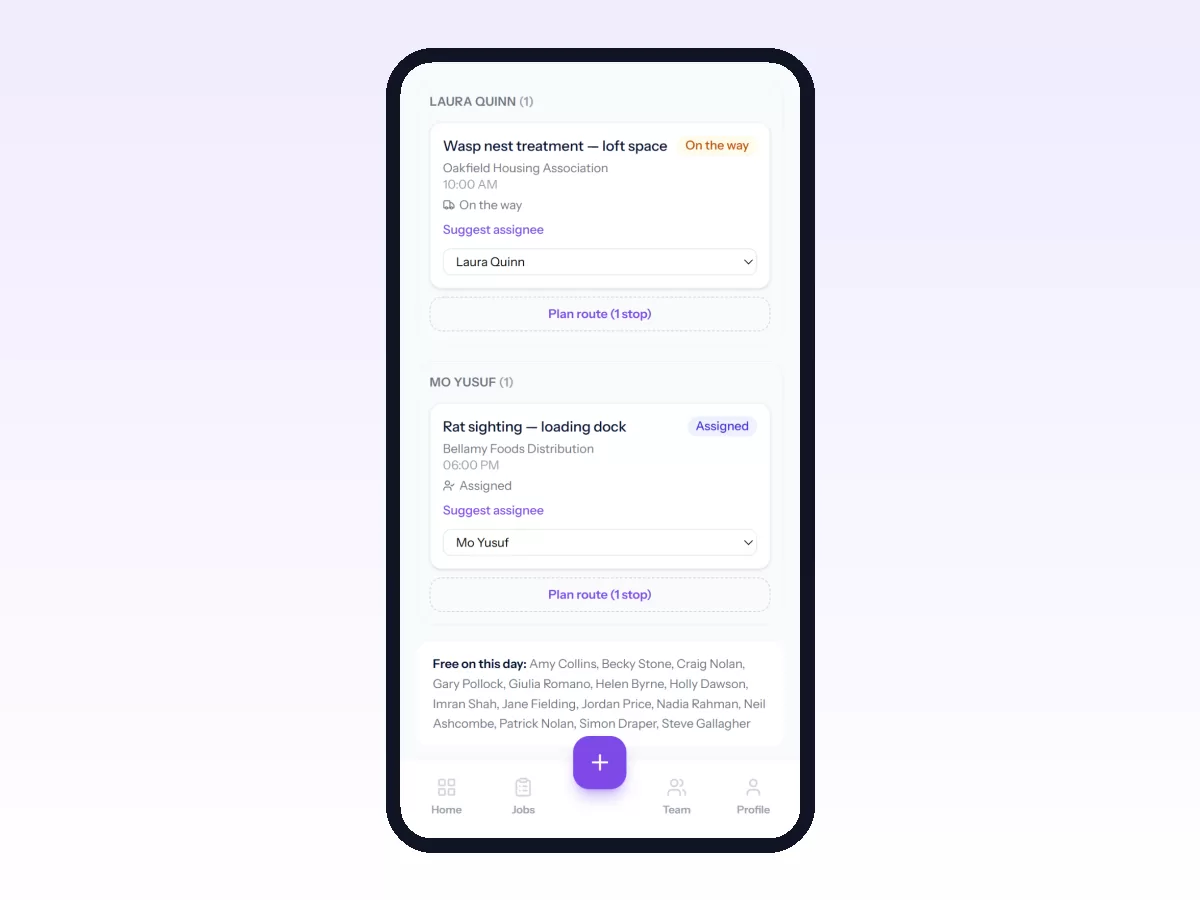
Recurring jobs handle repeat work by creating the visits ahead of time. The dispatch board shows the day, including unassigned work.
There are two limits to know. Movtro does not have shift rosters. Its suggestion leaves out people on approved full-day leave or a holiday, but it does not consider territories, so check half-day leave before you assign.
Related reading: technician scheduling, technician dispatch best practices and field technician management. Or start free.