Technician Dispatch: Sending the Right Person to the Right Job
Good dispatch balances skill, distance, workload and what you promised the customer. Here are seven rules that work in practice and the metrics that show whether dispatch is working.
In field service, dispatch decisions have more effect on the outcome than almost anything else. The same job, technician and customer can give you a profitable visit or a wasted one, depending on who was sent, when, and what they knew before they set off. Below is what a dispatcher has to weigh.
The four things a dispatch decision balances
Every assignment trades off four factors. Software can show you the trade-offs, but you still have to judge them.
Skill: can this person do the job? Having done something similar isn't enough. They need the certification, knowledge of the equipment and the access rights.
Distance: how far are they from the site in drive time? Kilometres mislead. Ten kilometres across a city at 17:00 takes far longer than ten kilometres at midday.
Load: what else is in their day? Give a technician with a full schedule a job that usually overruns, and you can expect a late arrival.
Promise: what did you tell the customer? A job with a four-hour response window comes before a routine visit, however convenient the routine visit is.
These four conflict all the time. When they do, the promise usually wins, then skill, then load, then distance. The most expensive mistake in dispatch is sending a closer technician who can't finish the job, because you pay for two visits.
Rules that hold up in practice
1. Never assign without the history
The technician should be able to see what was done to this equipment last time, who did it and what was left outstanding. Without that, you send someone to diagnose a fault that was already diagnosed six weeks ago.
2. Protect the first slot of the day
Keep your earliest slot lightly loaded. Emergencies come in during the morning, and a day that starts full can't take them without breaking three promises.
3. Batch jobs by area
Assigning jobs in the order they arrive spreads one technician across the whole city. Group them by area wherever the promise allows, and the time you save adds up over a week. See route optimization for field teams.
4. Treat "on hold" as a dispatch problem
The technician shouldn't have to remember a blocked job. Put it on the dispatch board with what it is waiting for and a date to check it. Customers complain about the jobs that go quiet.
5. Reassign early
If a job clearly won't be reached today, move it at 11:00 rather than 16:30. Leaving it late is how one slipped job turns into three.
6. Give the technician everything in one place
That means site access notes, gate codes, contact name, parking, the equipment, the history and the checklist. If a technician has to ring the office before starting work, dispatch has let them down.
7. Watch for patterns
One late job can be the weather. The same route running late every Thursday is a scheduling problem. You see the quality of dispatch in trends: repeat visits, overtime piling up on a few people, jobs that always overrun.
The metrics that tell you dispatch is working
- First-time fix rate. This is the clearest sign that the right person arrived with the right information and parts. See what first-time fix rate really measures.
- Travel time as a share of the working day. If technicians spend more than a third of the day driving, someone is ignoring geography.
- Promise adherence: the percentage of jobs that met the window you gave the customer. This is the number customers feel.
- Load spread. When overtime sits with two people, the cause is usually how jobs are dispatched rather than headcount, and it is how good technicians burn out.
Where the software helps
Movtro's dispatch board puts the unassigned queue next to your team's day and can suggest who to send. The suggestion weighs the skills the job needs against each technician's skills and experience, how many open jobs each person already has, whether they are free at the scheduled time, and how long they would take to get there from where they are now. You assign or reassign from the board, and the technician is notified immediately.
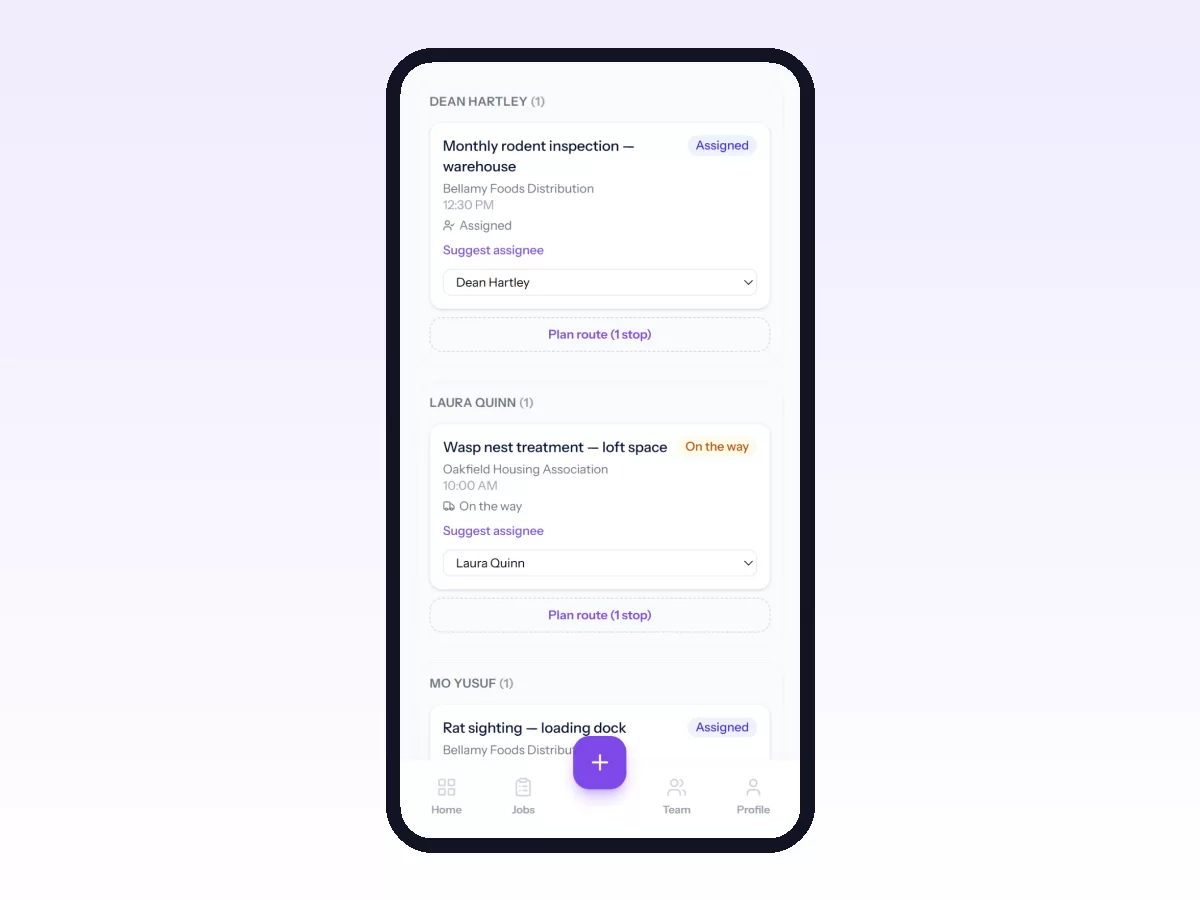
With live location on the team map, you can see who is nearest instead of guessing. When the technician starts the job, the visit is recorded with where they were and how far that was from the site, so the office knows without having to ring.
The software doesn't make the decision. It shows you the four trade-offs at the moment you decide.
Start here
If you are setting up dispatch for the first time, get the workflow right before you work on assignment: see how to set up your first job workflow.
Related: Technician Scheduling: Skills, Availability and Travel · HVAC Dispatch Software: Getting Through Peak Season · Field Service Automation: Rules That Save Dispatchers Hours · How to Use the Dispatch Board