Maintenance Technician Management: Jobs, Skills and Parts in One Place
Assign maintenance work by skill and availability, follow it through to completion, and keep the parts, photos and history of each asset together.
Maintenance teams keep building services, production equipment, machines at customer sites, generators, lifts and pumps running. The work comes in two kinds, and managing technicians means handling both without one crowding out the other.
- Corrective maintenance fixes what has broken. It is urgent, unpredictable and noisy.
- Preventive maintenance stops things breaking. It is planned, repetitive and easy to put off.
Most maintenance operations slide towards doing only corrective work, because urgent jobs always win over important ones. Managing technicians well means protecting the preventive work.
The maintenance job, from fault to history
- The fault or the due date. Someone reports a fault, or a planned visit falls due.
- The asset. Attach the job to the specific machine and not only the site, or there will be no history.
- Assignment by skill. An electrical fault, a hydraulic leak and a PLC error each need a different person.
- Parts. Record what the technician takes, what they use and what goes back to stock.
- The work, with a checklist for anything routine.
- Findings and follow-up. "Bearing worn, replace next visit" should turn into a planned job instead of staying a sentence in a note.
- History. The asset's record now shows this visit, the parts and the findings.
Schedule around skills
Maintenance technicians are rarely interchangeable. Keep a simple record of who can do what and to what level: electrical, mechanical, refrigeration, controls, particular manufacturers' equipment, and safety certifications such as working at height or in confined spaces. Then assign work by that record. A job sent to the wrong person means a wasted visit and a repeat trip.
Certifications expire. Track the dates so you know before one lapses, instead of finding out when an auditor asks.
Asset history pays off over time
Each visit recorded against an asset adds to the most useful record a maintenance team has: everything that has happened to that machine over its life. It answers questions like these:
- Which assets fail most, and should be replaced instead of repaired?
- Is a repeat fault down to the part, the way the machine is used, or the technician's skill?
- What is under warranty, and until when?
Protecting preventive maintenance
- Set the schedule up so visits create themselves. A calendar kept in someone's head fails the day they are off sick.
- Give each visit a clear due date, and treat an overdue preventive visit as a problem.
- Keep each visit short and specific so it is quick to do properly.
- Record what you find. A preventive visit that finds nothing is still evidence the asset was checked.
Parts
A missing part wastes more of a technician's day than anything else. Know what each van or store holds, record what is used on each job, and look at which parts each job type uses most when you set stock levels.
Numbers worth watching
- Preventive visits completed on time, against those due.
- Repeat faults on the same asset.
- First-time fix rate for corrective work. See first-time fix rate.
- The backlog of open corrective work, and how old it is.
In Movtro
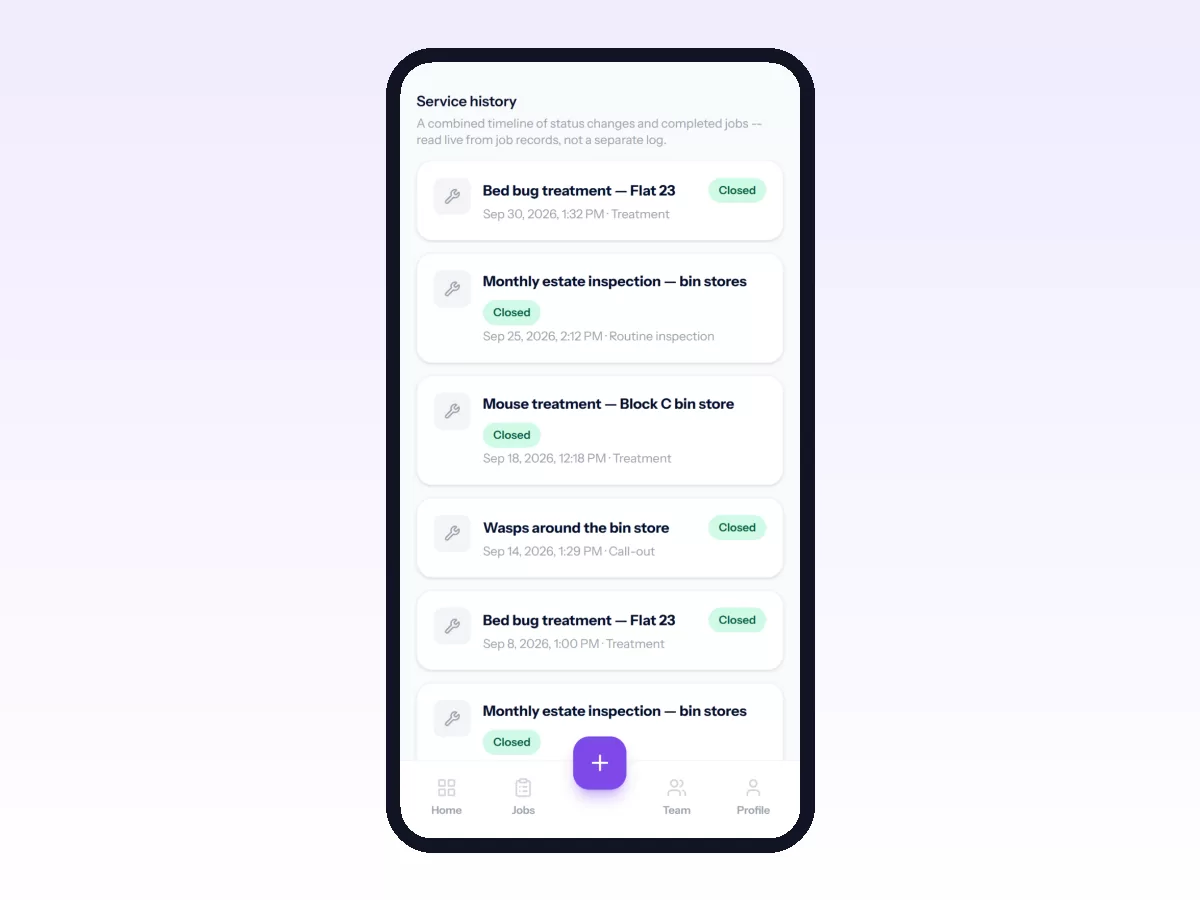
In Movtro each machine is an asset with its type, serial number, manufacturer, warranty and status history, and every job on it adds to its service history. Technicians' skills and certifications are recorded, with reminders before certifications expire, and dispatch can get a suggested technician based on skills, workload, availability and travel time. Parts and materials come out of stock as they are used on jobs, across warehouses and stock locations.
Preventive maintenance runs as recurring jobs, every N days, weeks, months or years. They can follow a fixed calendar or count from when the last visit was finished, and each has a checklist and a lead time so the visit appears in advance. Overdue visits are flagged. Recurring jobs are based on dates only: Movtro does not trigger maintenance from running hours or meter readings.
See work order management, or start free.
Related: Preventive Maintenance Software: Visits That Schedule Themselves · Equipment and Asset Service History · Parts and Inventory for Field Service Teams · Equipment Service Management: Running a Service Business on Other People's Machines · Field Technician Management: Skills, Certifications and Availability · Maintenance Work Order Software: What It Needs to Do · Maintenance Technician Productivity: Where the Day Goes