Work Order Management: From Request to Sign-Off
How a work order moves from request to sign-off, what it should capture along the way, and the records it leaves behind.
A work order is the record of a piece of work: what needs doing, where, for whom, by whom, by when, and what actually happened. Managing them means keeping that record accurate from request to sign-off, and making it useful afterwards.
A field operation is built on these records, and a spreadsheet row that says "AC not cooling, done?" is a poor thing to build on.
The life of a work order
Whatever the trade, the stages are broadly the same.
1. Request
A customer rings, emails, fills in a form or raises the job in a portal; a technician notices something while on another visit; a maintenance contract says a visit is due. Make it a work order straight away, not a note to turn into one later.
At this point, record:
- the customer and site, so the technician knows where to go and who to ask for
- the equipment, if the work concerns a particular asset
- what is wrong or what is needed, in the customer's own words
- the priority, and any response time you have promised.
2. Plan and assign
Someone decides when and by whom, weighing skills, availability, distance and priority. See technician dispatch best practices.
3. Travel and arrival
The technician travels to the site. The office should know they are on the way, and ideally so should the customer.
4. On site
The technician follows the checklist, records what they find, takes photos and logs the parts they use. They also deal with surprises: a missing part, refused access, a bigger fault than expected.
5. Completion and sign-off
The technician marks the work complete and the customer signs. Some work also goes to a supervisor for review before it is closed.
6. After
The closed work order feeds invoicing, the equipment's service history, your stock levels and the numbers you run the business on.
Statuses: fewer than you think
Each status should mean somebody does something differently. This set works:
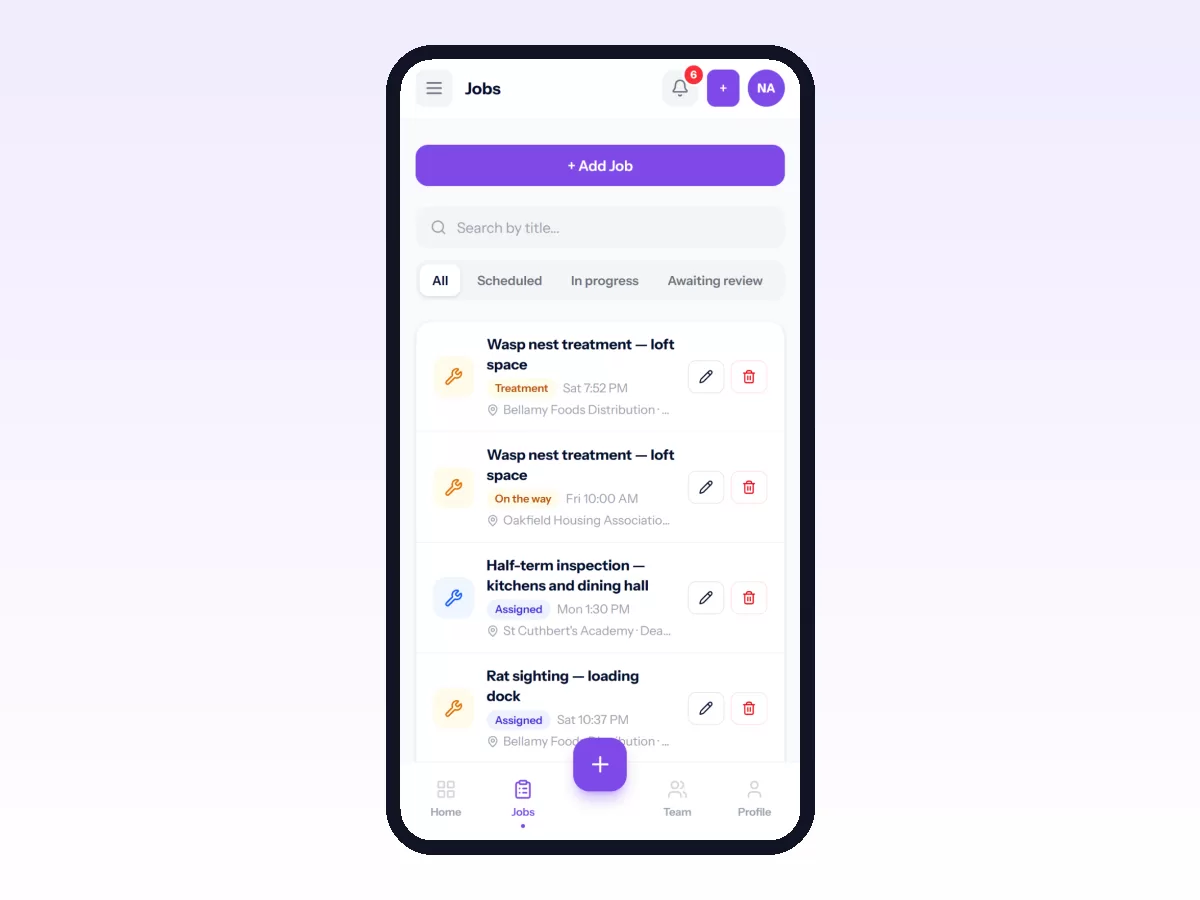
- Open: requested, not yet planned.
- Scheduled: has a date, and usually a technician.
- In progress: someone is working on it.
- On hold: blocked on a part, an approval or access.
- Completed: the work is done.
- Closed: reviewed and signed off.
Only add a stage if it changes what someone does. "Travelling" earns its place if customers can see it. "Waiting for part" is a reason for being on hold, so it doesn't need a status of its own. For the thinking behind a first workflow, see how to set up your first job workflow.
Checklists: the part that decides quality
A checklist turns "service the unit" into the six things a service actually involves. Keep it short and make each item a specific action. Mark the ones that must never be skipped as required, and the job cannot be completed without them.
Evidence
A completed work order should settle a dispute a year later without anyone having to remember. For that it needs:
- photos from before and after
- notes, some internal and some the customer can see
- the parts used, taken from stock so inventory stays right
- the customer's signature
- when and where the technician started and finished.
The same record is what lets you measure first-time fix rate and other field service KPIs.
When things go wrong
A good system handles the unhappy paths as clearly as the happy one. You should be able to:
- put a job on hold with a reason, so the Monday question "what is stuck, and on what?" has an answer
- cancel a job or mark it failed with a reason, never silently deleted
- record a problem found on site, such as a safety hazard or a bigger fault, against the job with its severity, so the office can act on it
- send a job back for rework when a review finds it was not done properly.
Service levels
If you promise customers a response or completion time, the work order should hold that promise and show when a job is at risk of missing it. You should not be finding out from the customer. Measure how often you keep it (see SLA-related KPIs).
Recurring work
Maintenance contracts and regular visits should raise their own work orders in advance, so nobody has to remember to. Each visit is then a normal work order with its own checklist, record and history.
In Movtro
Jobs in Movtro move through stages you define, from open to closed, with an optional review step before closing. Each job carries the customer, site and asset, a priority, a schedule and an assignee.
Technicians work through the job on their phone: checklist questions, notes, photos, parts from your stock and the customer's signature. A question can be a tick, yes/no/N-A, a reading with an expected range, text, a pick-list or a photo. Required questions stop the job being completed until they are answered, a follow-up question can be asked only on a given answer, and questions can be scored against a pass mark. When the work is done, the customer's service report PDF can be downloaded, emailed or sent automatically.
Jobs can be put on hold, cancelled or failed with a reason. Problems can be reported against a job with a category and severity, and the job's history keeps every change of stage.
Customers can raise service requests in the portal for dispatch to turn into jobs. Movtro measures how often technicians arrive within the allowance you set around the scheduled time. Recurring jobs create maintenance visits ahead of time, and a stage can require the technician to be at the site before the job moves into it.
To build your own, start with your first job workflow or start free.
Related: Service Requests: From Customer Call to Scheduled Job · Field Service Checklists: Getting the Work Done Right Every Time · SLA Management in Field Service · Parts and Inventory for Field Service Teams · Proof of Service: Photos, Signatures and Location · Maintenance Work Order Software: What It Needs to Do · How to Create and Assign a Job