Service Requests: From Customer Call to Scheduled Job
Requests come in by phone, email, WhatsApp and word of mouth, and too many get lost along the way. How to capture every one, decide quickly and keep the customer told.
Every job starts as a request, and requests come in through any channel a customer can find: a phone call, an email, a WhatsApp message to a technician, a word in passing at the end of another visit. The lost ones never show up anywhere. They just turn into customers who stopped calling.
Service request management means making sure every request lands in one place, gets a decision and gets an answer.
Where requests get lost
- On a technician's personal phone, with "I'll pass it on."
- In the office inbox, read by whoever has time.
- In a phone call noted on paper that ends up in the bin.
- In requests that aren't quite jobs yet, like "can someone have a look at the noise the AC makes?"
Capture first, decide second
A request isn't a job yet. It could be a duplicate, outside your area, something you don't do, or work that needs a quote first. Handle it in two steps:
- Capture every request in one place, with who asked, which site, what they described and when.
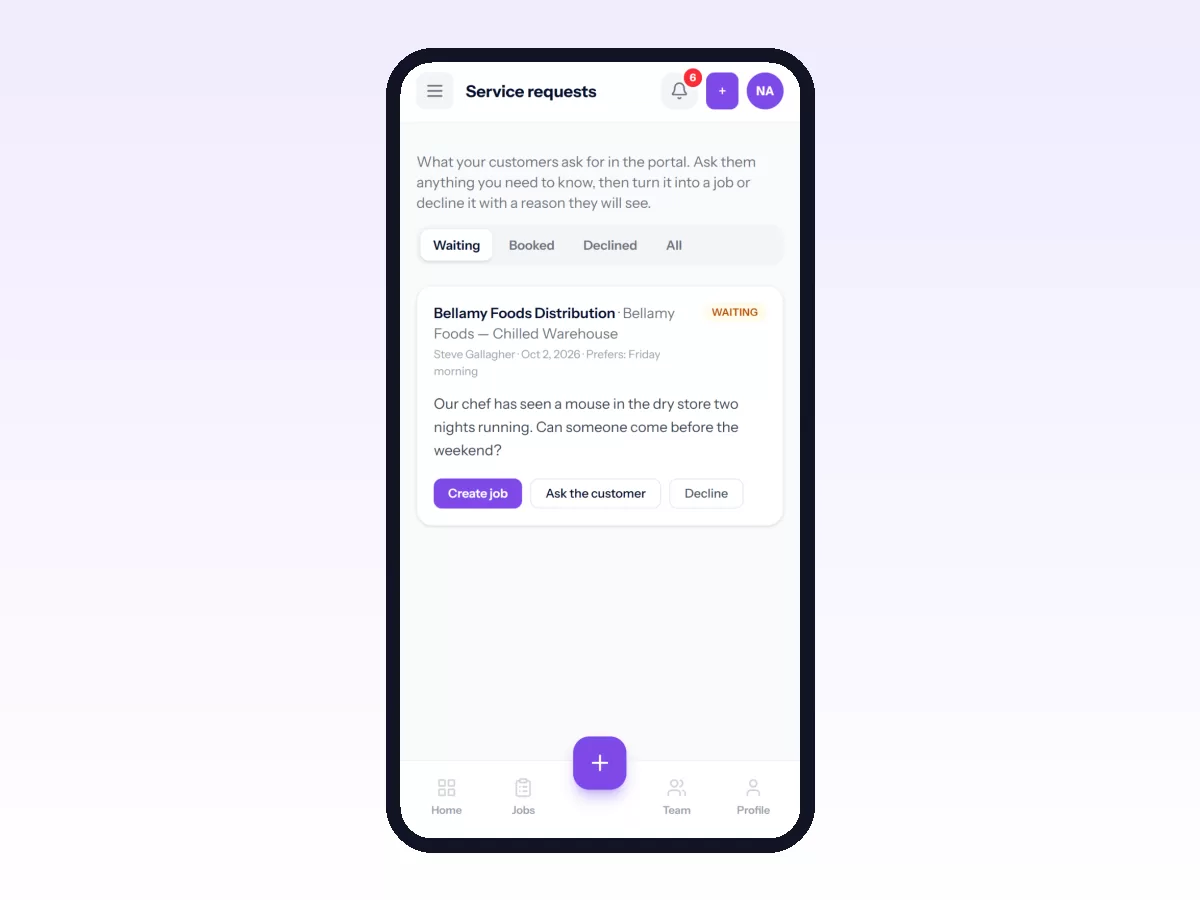
- Triage it. Either turn it into a job with a job type, priority, technician and date, or decline it with a reason the customer will see.
Keeping the two steps apart means nothing gets lost while it waits for a decision.
What a good request captures
- The customer and site, and a contact on site.
- What they're seeing, in their own words.
- Which equipment, if they know.
- How urgent it feels to them, which isn't always how urgent it is.
- Photos, where they help.
Let customers raise requests themselves
The surest way to stop losing requests is to let customers log them directly, at any hour, in a portal where they can also see what happened to each one. The office takes fewer phone calls and the customer has a record. See the customer portal for field service.
Triage well
- Decide quickly. A request that waits two days for a decision feels ignored, even if the job itself is quick.
- Set the priority honestly, by impact and not by how loudly someone asked.
- Decline clearly and give a reason. Don't leave a request sitting there.
- Merge duplicates when two people at the same site report the same thing.
Measure it
- Time from request to decision.
- Time from request to first visit.
- Requests declined, and the reasons. These often show work you could be selling.
In Movtro
Customers raise service requests through Movtro's customer portal by choosing the site and describing the problem. They can see each request's status: waiting, turned into a job, or declined with the reason. Staff with triage permission can turn a request into a job in one step, setting the job type, priority, technician and date, and the technician gets a notification. Or they can decline it with a reason the customer sees. Requests taken by phone or email are entered straight in as jobs.
See work order management, or start free.
Related: Facility Maintenance Requests: From Tenant to Technician · How to Share Job Progress With Customers