Maintenance Work Order Software: What It Needs to Do
Maintenance work orders belong to equipment, they repeat, and their history matters, which sets them apart from one-off service calls. This covers what the software needs to do and what to check before you buy.
A maintenance work order is an instruction to inspect, service or repair a piece of equipment such as a chiller, generator, lift or pump. It differs from a one-off service call in three ways: it belongs to an asset, it often repeats, and its history still matters years later.
Maintenance work order software should be designed around those three facts.
1. Work orders belong to equipment
Link every maintenance job to the asset it was for. Over time that builds a service history for each unit: every visit, what was found, what was replaced and who did it. You show that history to an auditor, a warranty provider, or a customer asking why their unit keeps failing.
Look for:
- An asset register with location, status and warranty details.
- Documents attached to the asset, such as manuals, certificates and drawings.
- A timeline for each asset showing every job, including visits that covered several units at once.
2. Planned work repeats on its own
Preventive maintenance fails when it relies on someone remembering. The software should create visits from a schedule ("every 3 months", "every Monday and Thursday", "90 days after the last service") and put them on the board in advance, assigned and ready.
It should also show what is overdue, meaning visits past their due date that are not finished. Maintenance programmes tend to fail on that list without anyone noticing.
3. The work is recorded the same way every time
- Checklists for each job type, with required items that must be done before the job can close.
- Photos before and after.
- Parts used, taken from stock so the inventory stays correct.
- Sign-off from the customer or site contact.
- Notes for anything the checklist does not cover.
The history is only useful if the records are consistent.
Reactive work too
Breakdowns still happen. The same system should take reactive requests from customers or staff, turn them into work orders and link them to the asset, so reactive and planned work sit in one history.
Questions for vendors
- Show me one asset's full history, with planned and reactive jobs.
- How are recurring visits created, and what happens if one is missed?
- Can a checklist block completion until required items are done?
- Do parts used on a job come out of stock?
- Does the technician app work without signal?
In Movtro
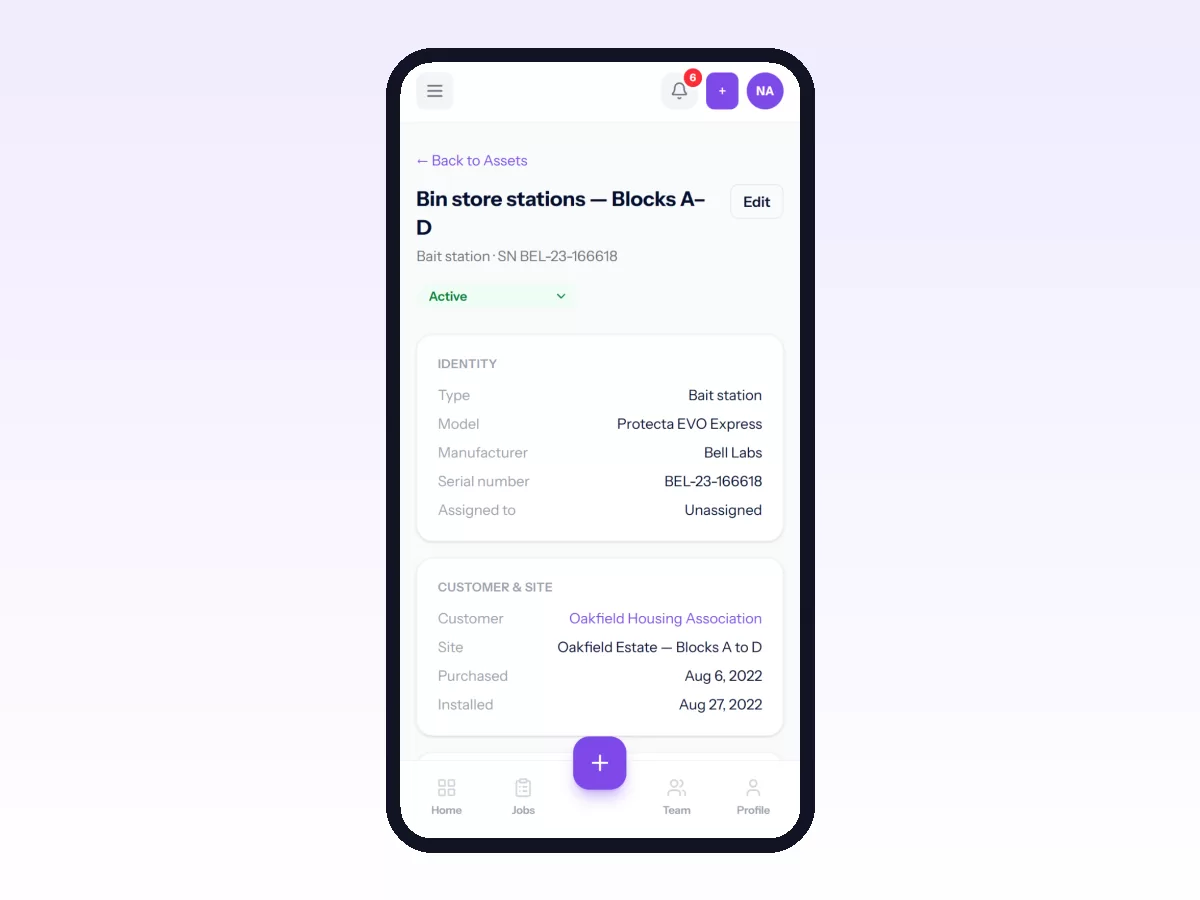
In Movtro, jobs can be linked to assets. Each asset has a status, warranty details, documents and a history of every job, including combined visits that covered several units. Recurring jobs create maintenance visits on a schedule, either a fixed calendar or counted from the last completed visit, as one job per asset or one job for the whole visit. Overdue visits show on the plan and on the job.
Technicians work through checklists with required items, add photos and notes, record parts used from stock and capture a signature, with or without signal. Customers can raise requests through the customer portal, and the office turns them into jobs.
Movtro does not schedule by running hours or meter readings, and it does not handle contract billing.
Related reading: preventive maintenance software, work order management and equipment service history. Or start free.
Related: Preventive vs Reactive Maintenance for Field Teams · Industrial Equipment Field Service