What Is Field Force Management?
What field force management covers: attendance, visits, location and reporting for teams whose job is to be out meeting customers.
Field force management is how a business organises a team whose job is to go out and meet people: sales reps visiting shops, medical representatives calling on doctors, loan officers verifying applicants, merchandisers checking shelves, surveyors inspecting properties. Field service is about fixing things. Field force management is about visits.
The basic questions are simple. Did they go? Where, and when? What happened? And did they work the days they were paid for?
How it differs from field service management
The tools overlap, but each puts the weight in a different place.
| Field service | Field force | |
|---|---|---|
| The unit of work | A job: install, repair, maintain | A visit: call on a customer, check, verify |
| What matters most | First-time fixes, parts, equipment history | Coverage, visit frequency, what was said or seen |
| Typical evidence | Checklist, parts, signature | Check-in location, notes, photos |
| Typical team | Technicians, engineers | Reps, agents, merchandisers, surveyors |
Many businesses have both kinds of team. For the service side, see what field workforce management covers.
The parts of field force management
Attendance
A field force starts the day in many different places. Clocking in from the phone, with location, takes the place of the register. See field employee attendance tracking.
Visit planning
This decides who visits which customers, how often and in what order. If a rep sees the same five friendly shops every week and never the difficult ones, you have a coverage problem that is easy to miss.
Visit evidence
You need proof that the visit happened and what came of it: a check-in at the customer's location, notes on what was discussed, photos of a display or a property, and a checklist for anything that has to be covered on every call. See field visit tracking.
Location
Knowing where people are during the working day helps with coordination and safety. Keep it within working hours. See how to track field employees without losing their trust.
Reporting
Reports cover visits per day, customers covered, time in the field compared with time travelling, and daily reports a manager can read in two minutes.
Sales tooling
For sales teams, field force management often stretches to territories, targets, order booking and product catalogues. Those are sales force automation features, so check them separately with any vendor.
Common problems it solves
- "Ghost" visits that were reported but never made. A check-in with a checked location settles the argument.
- Uneven coverage, with some customers visited weekly and others never.
- Daily reports nobody can use: long messages at 9 p.m. that nobody acts on.
- Attendance disputes, because there is no record of when the day started.
- Knowledge kept in people's heads, so when a rep leaves, their customer history goes with them.
Getting started
- Start with attendance and visits. Everything else depends on knowing who went where.
- Keep the visit record short: a check-in, one note, and a photo if it matters.
- Review patterns weekly instead of checking individual visits every day.
- Tell the team why. Visit records protect good reps, whose work would otherwise go unseen.
In Movtro
Movtro covers the attendance, visit and location side of field force management. Staff clock in and out from their phone with location recorded. A visit is set up as a job at the customer's site. The rep checks in by starting it, which records where they were and how far that was from the site, and adds notes, photos and checklist items before completing it. You can plan a multi-stop route for the day and reorder it, and each stop opens in the rep's maps app. If you switch on live location, it shows the team during working hours, and reports summarise visits and time per person. The same app handles leave, expenses and payroll.
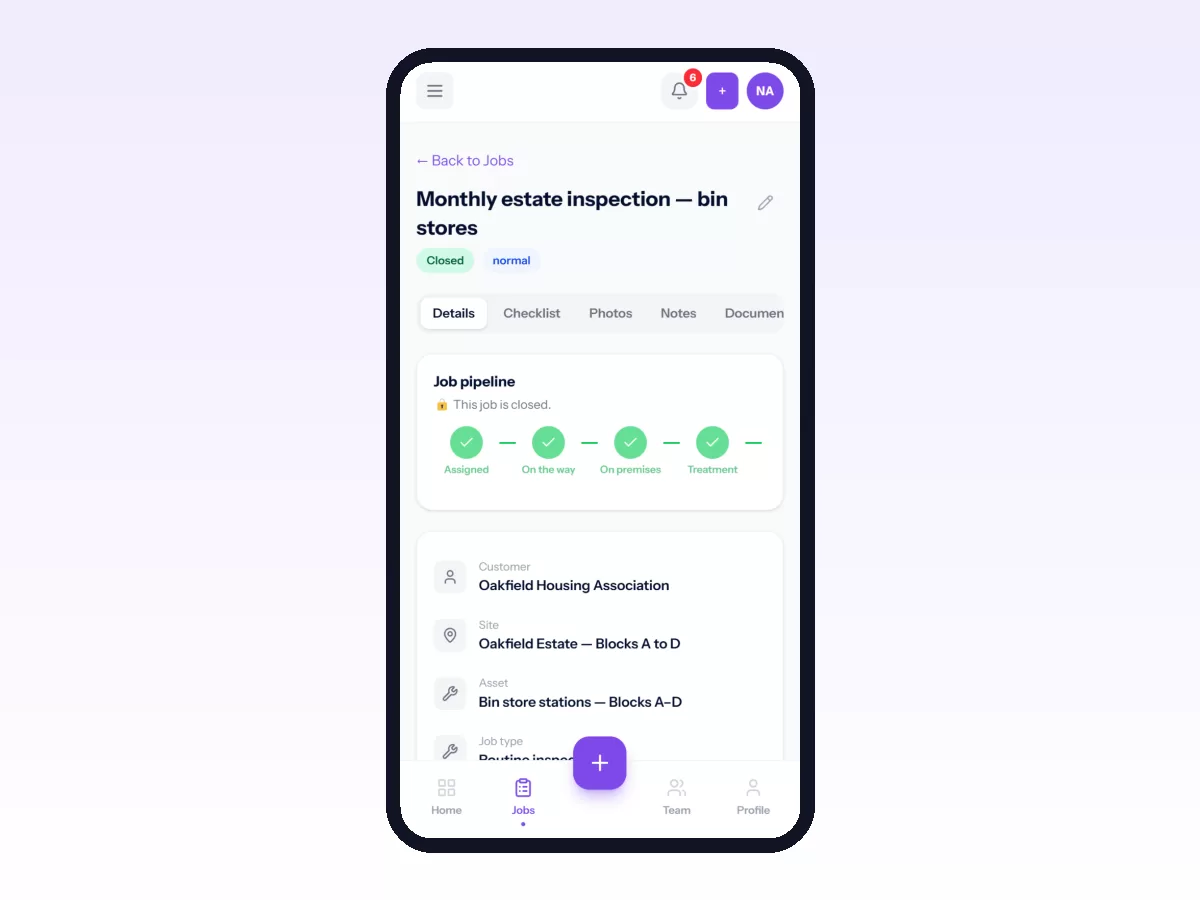
The gaps: Movtro does not have sales territories, targets, order booking or product catalogues, and routes are ordered by hand, not optimised automatically.
See field visit tracking, or start free.
Related: Field Force Management Software: What to Look For · Field Force Tracking Software: What It Should Record · How to Track Sales Reps in the Field · Field Force Automation: What to Automate First