What Is Field Workforce Management?
How field workforce management works day to day: getting the right person to the right job, knowing the job happened, and paying people for the time they actually worked.
Field workforce management is how a business organises people who work somewhere other than the office: technicians, installers, inspectors, cleaners, sales reps, drivers and crews. It covers who goes where, what they do when they arrive, how the office knows it happened, and how those people are paid for the time they worked.
In an office most of this is in plain view. A manager can see who came in, what they are working on and when they left. In the field you see none of it unless you set something up to show it, and field workforce management is the habits and tools that do that without loading people with admin.
The day, from both ends
Look at one working day from the office and then from the field. The two sides run into very different problems.
For the office, the day is a list of work that has to happen and a list of people who can do it. Who is available, who has the right skills, who is closest, what is already late, and what has just come in that needs someone now?
For the person in the field, the day is a sequence of places. Where am I going next, how do I get in, what exactly is the job, what does the customer expect, what parts do I need, and how do I record that I did it without spending longer on paperwork than on the work?
Most field operations get into trouble where those two views meet. The office assigns a job without knowing the technician is stuck at the previous site. The technician finishes a job, and the office only finds out when the customer rings. The work gets done, but the only record is a photo in a WhatsApp group that nobody can find a month later.
The parts of it
Field workforce management is usually described as a set of modules. In practice they form one chain, and a weak link anywhere causes trouble everywhere else.
Work: jobs and work orders
Everything starts with a job: a clear record of what needs doing, for which customer, at which site, on which equipment and by when. A good job record answers the technician's questions before they have to ring anyone. Work order management explains how that record should move from request to sign-off.
Assignment: scheduling and dispatch
Someone has to decide who does each job, balancing skills, availability, distance and the promises made to customers. Technician dispatch best practices covers how to get that right.
Movement: routes and location
Field teams spend a large part of the day travelling. If you plan the order of visits and know roughly where people are, you can answer "who is nearest?" with a fact instead of a guess. See route optimisation for field teams.
Presence: attendance
Someone has to know when each person started and finished, took breaks and worked overtime. For field staff that means clocking in from a phone instead of a machine by the door. See field employee attendance tracking.
Evidence: proof the work was done
Checklists, photos, notes, parts used and the customer's signature turn "I did it" into a record the business can bill from, defend in a dispute and learn from.
People: HR and payroll
Field staff take leave, claim expenses, ask for advances and need to be paid correctly for the hours they worked. When attendance and payroll sit in separate systems, someone re-types one into the other every month. See time and attendance for field teams.
Field workforce management and field service management
The two terms overlap and are often used as if they meant the same thing. A useful way to separate them:
- Field service management is about the work: jobs, equipment, customers and service history. It suits companies that install, repair and maintain things.
- Field workforce management is about the people doing the work, whatever that work is: attendance, location, visits, HR and pay. It also suits teams who don't do repair jobs at all, such as sales reps visiting shops or surveyors inspecting properties.
Most businesses with a field team need both. A maintenance company has to manage its jobs and also know its technicians clocked in. A sales team has to track visits and also pay reps for the days they worked. For a fuller comparison of what software in this area covers, see the practical guide to field service management software.
Signs it is time to get serious about it
Small teams run perfectly well on a phone, a spreadsheet and a group chat. That stops working at a fairly predictable point, and the usual signs are:
- Jobs fall through the cracks. A request came in by phone, someone meant to write it down, and nobody went.
- Nobody can say where everyone is without ringing round.
- Customers ring to ask when the technician is coming, because nobody told them.
- Payroll takes days, because attendance is in one place, overtime in another and leave in someone's memory.
- Disputes have no evidence. The customer says the job wasn't done, and all you have is the technician's word.
- Knowledge walks out of the door. The only person who knew a customer's equipment history has just resigned.
If three or more of those sound familiar, not managing the field workforce properly is already costing you more than doing it would. How to replace Excel and WhatsApp for field operations explains how to switch without losing a day of work.
What good looks like
Having the most software doesn't make a field operation well run. A well-run one is where:
- every job is in one place, from the moment it is requested to the moment it is signed off;
- the technician has everything they need on their phone, even when there is no signal;
- the office can see progress without ringing anyone;
- the customer knows what is happening without having to ask;
- attendance reaches payroll without being re-typed; and
- a year from now, anyone can open a piece of equipment and see every visit it has had.
In Movtro
Movtro is built around that chain. Jobs move through stages you define, and checklists, photos, notes, parts and the customer's signature are captured on the technician's phone. Dispatch can assign and reassign from one board, with a suggestion of who is best placed. Technicians clock in and out on the same app with their location recorded, and the app keeps working without signal. Recurring jobs create maintenance visits ahead of time. Customers can follow their own jobs in a portal. Attendance, leave, expenses and advances feed into payroll and payslips in the same system.
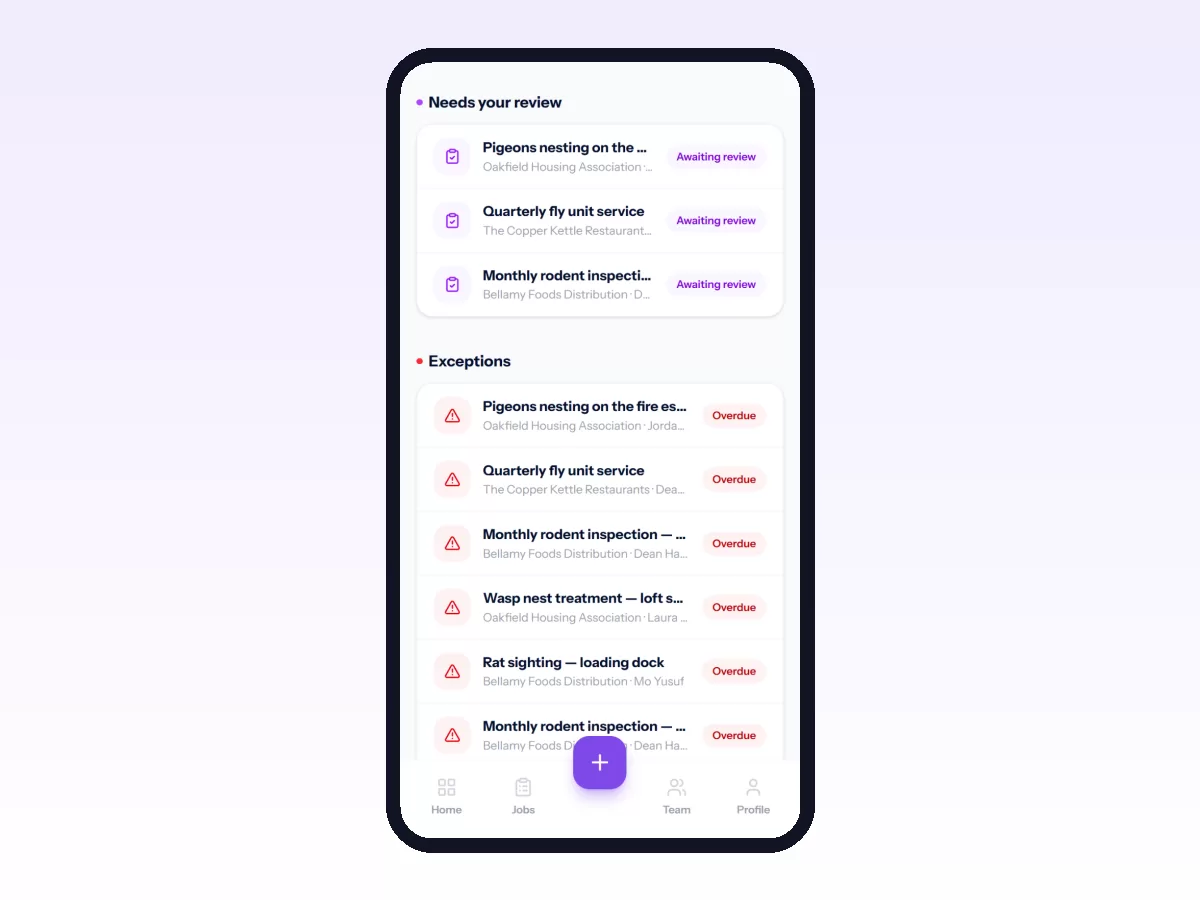
It runs as an Android app and in any mobile browser. To try it on your own work, start free, or begin with your first job workflow.
Related: Field Operations Management: A Complete Guide · Field Workforce Management vs Field Service Management · How to Manage a Distributed Field Workforce · Field Workforce Productivity: Metrics and KPIs