How to Replace Excel and WhatsApp for Field Operations
Why spreadsheets and group chats break down as a field team grows, what to move first, and a four-week plan to switch without losing a day of work.
Almost every field business starts out the same way. Jobs live in a spreadsheet, the team is in a WhatsApp group, photos get posted in the chat and attendance is on paper or in someone's head. It costs nothing, everyone already knows how to use it, and for a small team it works.
Then it stops working, and usually nobody notices when that happened.
Why it breaks
Excel and WhatsApp are good tools being used for a job they weren't built for, and the problems that follow are predictable.
The spreadsheet is always out of date. It's only as current as the last person who remembered to update it, and by mid-morning it no longer matches what's happening in the field.
Only one person really understands it, with its colour codes, hidden columns and a formula someone wrote two years ago. When that person is on leave, nobody is quite sure what's scheduled.
The group chat buries what matters. A job assignment sits between a joke, a voice note and someone asking who has the van keys. People miss messages and then say they never saw them, and they're telling the truth.
Evidence goes missing. The photo proving a job was done is in the chat, on one person's phone, somewhere back in March. When the customer disputes the invoice, nobody can find it.
Nothing adds up. How many jobs did we do last month? How long do they take? Who is overloaded? Answering any of that takes an evening of copying and counting.
Payroll has to be rebuilt every month: attendance from the register, overtime from messages, leave from memory, all typed into yet another spreadsheet.
If you have more than a handful of people in the field, you're probably already paying for these problems through missed jobs, repeat visits, slow invoicing and payroll mistakes.
What to move, and in what order
Most teams go wrong by trying to move everything at once. Move whatever causes the most pain first and let the rest follow.
- Jobs, which matter more than anything else. Every job should live in one place from request to sign-off.
- Assignment, so jobs reach technicians through the app and not the chat.
- Evidence: photos, checklists and signatures attached to the job itself.
- Attendance, with clocking in and out from the phone.
- Everything else: customers' equipment history, parts, recurring visits and payroll.
A four-week plan
Week 1: jobs and customers
- Add your customers and their sites. Most tools can import them from your existing spreadsheet.
- Set up one job workflow and keep it short: scheduled, in progress, on hold, completed, closed. See how to set up your first job workflow.
- From Monday, every new job goes into the new system and the spreadsheet becomes read-only.
Week 2: the field team goes live
- Invite the team. See how to invite your team and set their roles.
- Spend thirty minutes with each technician installing the app and going through one real job.
- From now on jobs are only assigned in the app. The office stops sending jobs in the group chat, and everything else depends on that step.
- Technicians open, progress and complete every job in the app. Nothing more is asked of them yet.
Week 3: evidence and attendance
- Add a short checklist to your most common job type.
- Ask for before and after photos on the job instead of in the chat.
- Start clocking in and out from the phone. See field employee attendance tracking.
Week 4: close the old channels
- Announce the date the group chat stops being used for work. The team can keep it for social chat if they want.
- Archive the spreadsheet.
- Run your first report on jobs done, jobs overdue and time per job. It will be the first time you've seen those numbers without spending an evening counting.
Handling the objections
"WhatsApp is faster." It is for sending a message. It isn't for finding that message a month later or knowing whether a job is finished. Show the technician that completing a job in the app saves them the phone call from the office asking if it's done.
"The old guys won't use it." Start with the most respected technician rather than the youngest, and keep the first week to one habit. People mostly resist complexity more than change itself.
"We'll lose information." You're already losing it, in chat history nobody can search. Import the customer list and keep the old spreadsheet readable for reference.
"It's more work for the office." Slightly, for the first week. After that the office stops ringing technicians for updates, which is where most of its time was going.
What not to do
- Don't run both systems side by side for more than a few days. With two sources of truth, nobody knows which one is right.
- Don't add every checklist question you can think of. Start with the three or four that matter.
- Don't let the office keep sending jobs by WhatsApp "just this once". That one habit decides whether the switch works.
In Movtro
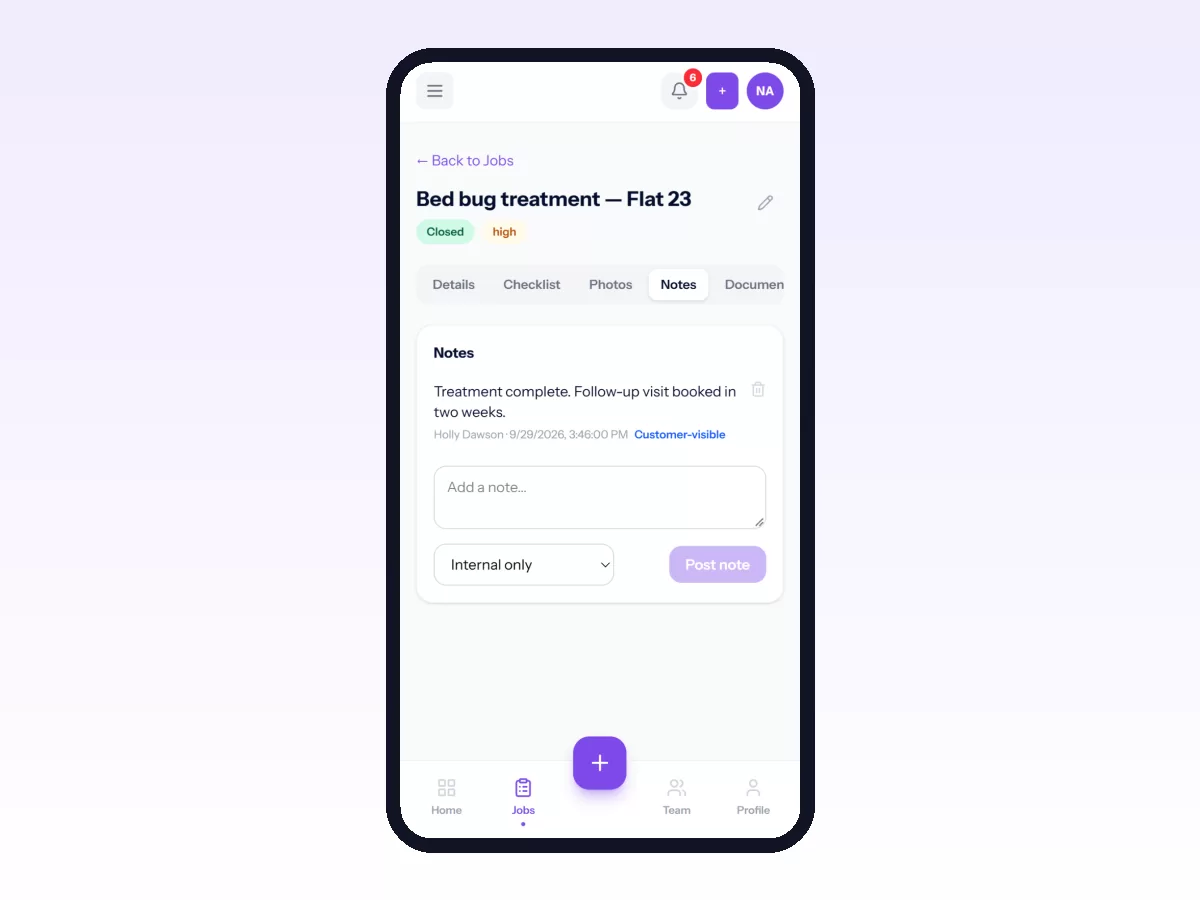
Movtro gives you one place for jobs from request to sign-off, with checklists, photos, notes, parts and signatures attached to each one. Dispatch assigns and reassigns work from a board, and the technician gets a notification on their phone. Technicians clock in and out from the same app, and it keeps working without signal. Customers, sites and equipment each keep their own history. In-app messaging keeps work conversations in the same place as the work, away from personal group chats.
You can start free and follow the four weeks above with your own team. For the wider picture, see what field workforce management covers.
Related: Field Service Software for Small Businesses · How to Digitize Field Operations in 30 Days