Recurring Pest Control Service Management
Pest control businesses live on recurring contracts such as monthly treatments, quarterly inspections and bait station checks. This covers running them so no visit is missed and each one can be proven.
Most pest control revenue comes from recurring contracts: a restaurant treated monthly, a warehouse inspected every quarter, a housing society with bait stations checked every two weeks. The business relies on every visit happening on time, and on being able to prove each visit when a customer, an auditor or a food-safety inspector asks.
Where recurring pest control goes wrong
- Visits are kept in a diary or spreadsheet, so a sick day or a change of staff leads to a missed month that nobody notices.
- Records are paper service reports that get lost, or photos in a phone gallery.
- Bait stations are checked but not recorded one by one, so nobody can show which station had activity.
- Access comes as a surprise. The technician arrives and nobody knows which gate or contact to use, or when the kitchen is closed.
Set up each contract once
For every contract, record:
- The customer and site, with access notes covering the contact, gate or key arrangements, and times to avoid.
- The schedule, such as monthly on the 5th, every two weeks on Tuesday, or quarterly. Where the gap matters more than the date, use "every 30 days after the last treatment".
- What gets done, as a checklist for each visit type (inspection, treatment, station check, follow-up).
- Who usually goes, so the customer sees the same face.
Then let the system create each visit in advance. An overdue visit should show up by itself, before the customer has to complain.
Record every station or area
Treat each bait station, trap or treatment area as an asset at the site. You can then have one job per station, or one visit covering them all with a checklist line for each station. Over time this builds a history for every station showing when it was checked, what was found and what was replaced.
Make every visit provable
- Checklist items ticked, with required steps that cannot be skipped.
- Photos of activity, damage or treated areas.
- Chemicals and materials used, taken from stock.
- Where the technician was when the visit started, compared with the site.
- The customer's signature at the end.
Use notes for anything the checklist does not cover, such as signs of a new infestation, proofing recommendations or hygiene issues.
Keep customers informed
Commercial clients want to know when you are coming and what you did. A customer portal showing the visit's progress, photos and signature saves phone calls and gives facilities managers the record they need for their own audits.
In Movtro
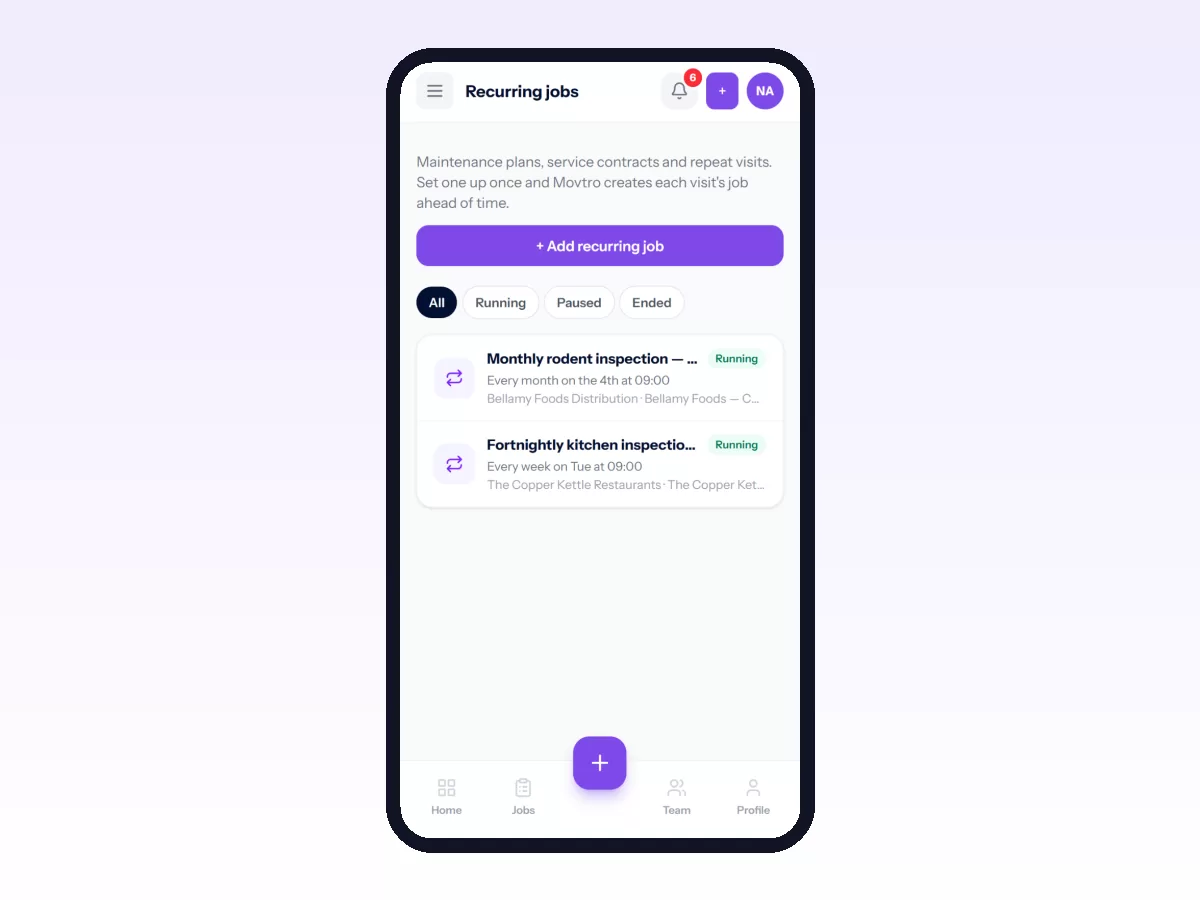
In Movtro, each contract is a recurring job with the customer, site, checklist, usual technician and schedule. The schedule can be daily, weekly on chosen days, monthly or yearly, or counted from the last completed visit. Visits are created in advance and overdue ones are flagged. Stations or areas can be added as assets, with one job per asset or one combined visit with a checklist line per station.
The technician sees the site's access notes on the job. Technicians tick checklists (required items must be done), add photos and notes, record materials used from stock and capture a signature, with or without signal. Customers can follow progress and see the photos and signature in the customer portal.
Checklist questions can take counts and readings (bait taken per station, for example), and chemicals used are recorded as materials from stock.
Related reading: pest control field service, preventive maintenance software and proof of service. Or start free.
Related: Pest Control Service Reports and Chemical Usage Records