Field Technician Tracking: Know Where Every Job Stands
Track technicians through job status, on-site check-ins and live location, so the office knows what is going on without phoning anyone.
"Where is he?" costs a field service business more than any other question. When the office rings a technician to ask, both of them stop working. When a customer rings the office to ask, someone has to go and find out. Technician tracking means getting the answer without anyone picking up a phone.
Most people hear "tracking" and picture a dot on a map, which is the least useful part of it.
What the office actually needs to know
When a manager asks where a technician is, they usually mean one of these:
- Has the job started?
- Is it going to finish on time?
- Is something wrong? They might be waiting for a part, refused access, or facing a bigger fault than expected.
- Who can take the urgent job that just came in?
- Did they actually go to the site?
The job's status answers four of those five, and location doesn't come into it. When a technician moves a job to "in progress", puts it on hold with a reason, or reports a problem, the office learns more than a map could show.
The three layers of technician tracking
1. Job status
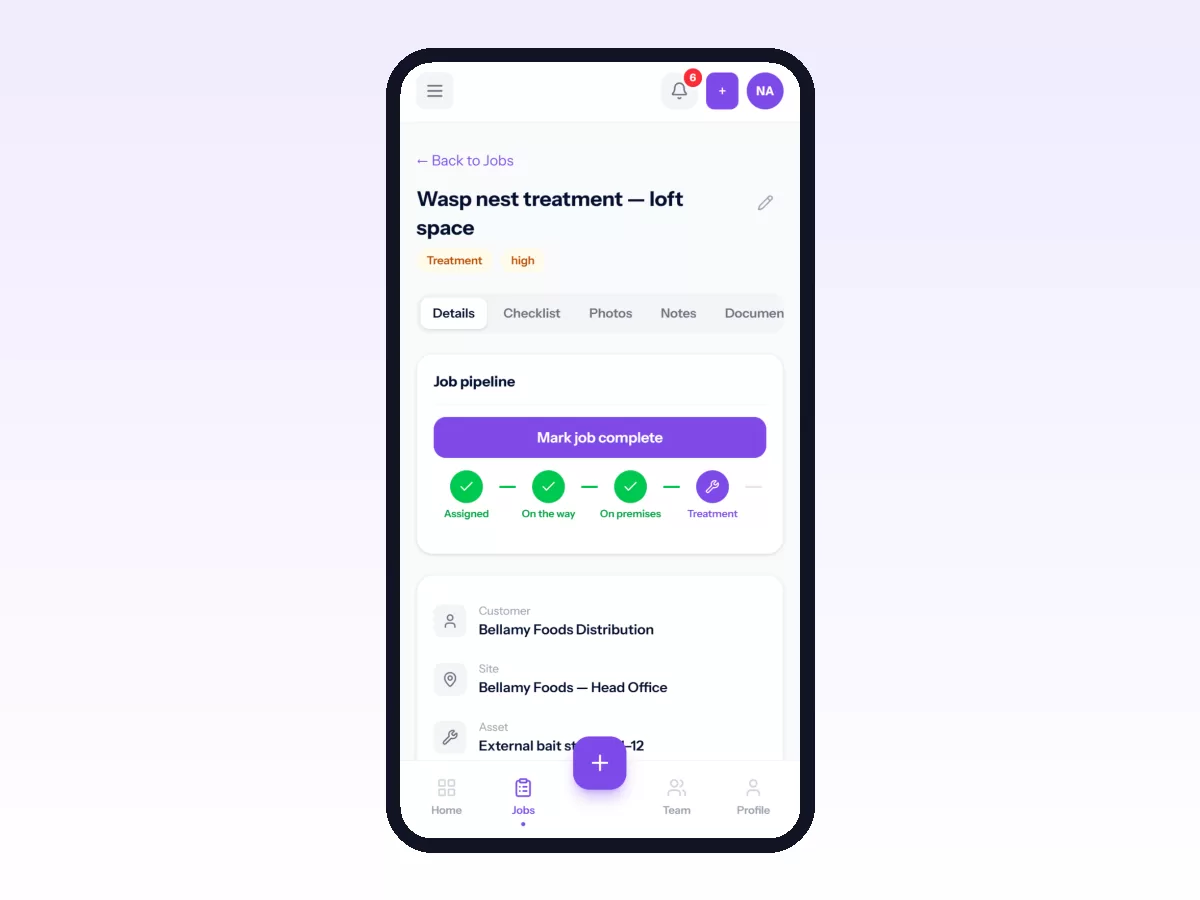
Everything else builds on this. Each job shows where it is: scheduled, travelling, in progress, on hold or completed. The dispatch board then shows the whole day at once: what is running, what is stuck, what is late and what nobody has picked up. It only works if technicians update the job as they go, and they will if updating is quicker than taking a call.
2. Check-ins at the site
When a technician starts work on a job, record where they were and compare it with the site. That tells you whether they went and when they arrived, without anyone watching a map. It also builds a history of every visit: when it started, when it ended and how far from the site it began.
3. Live location
Live location helps with two things: sending the nearest person to urgent work, and telling a customer the technician is on the way. Limit it to working hours, and tell the team when it is on and why. See how to track field employees without losing their trust.
Using tracking to improve, not police
The useful part of technician tracking is the patterns it shows. Catching individuals out gets you very little.
- Jobs that sit in progress for days usually mean a handoff that nobody owns.
- Jobs often on hold for parts point to van stock or ordering rather than the technician.
- Long gaps between jobs point to routing or scheduling.
- Repeat visits to the same equipment point to training, parts or diagnosis. See first-time fix rate.
What customers get from it
Once the office knows where a job stands, customers can know too. A customer who can see that a technician has been assigned, is on the way and has arrived has no reason to ring. See the customer portal for field service.
What to look for in technician tracking software
- Status updates that take one tap on a phone, with or without signal.
- A dispatch view of the whole day, including what is late and unassigned.
- Check-ins compared with the site, with allowance for GPS inaccuracy.
- Live location that you control: when it is on and who can see it.
- A kept history of every visit to every job.
In Movtro
In Movtro every job shows its stage, and the dispatch board shows the day's work, including anything unassigned. Technicians move jobs on from their phone, even without signal. When a job goes into progress, Movtro records a visit with where the technician was and how far that was from the site. The office sees the full visit history on the job, and visits that started well away from the site are flagged. A stage can also require the technician to be within a set distance of the site.
If your organisation switches on live location, it shows the team on a map while they are clocked in, and customers following a job in the portal can see the technician's position while they are travelling. Supervisors get a view of their own team.
See technician dispatch best practices, or start free.
Related: Field Force Tracking Software: What It Should Record · How to See Your Team on the Live Map