Daily Field Reports Managers Actually Read
Most daily field reports get typed at 7pm, skimmed at 9am and forgotten by 10. How to replace them with records captured during the day and a short check a manager can do in ten minutes.
The usual daily field report is a message sent when the day ends: "Visited 6 sites, 2 pending, need part for X." Someone types it from memory, it lands in a chat with forty others, and nobody can search it next month. Within weeks managers stop reading these reports, and staff notice.
The better daily report is one nobody has to write. It is put together from what people record while they work.
Why end-of-day reports fail
- They are written from memory, so times get rounded, problems get played down and small jobs get forgotten.
- They have no structure. You can't count "pending because of parts" across forty messages.
- They repeat work. The technician has already told the customer, the office and the storekeeper.
- Nobody replies, and a report that gets no response teaches people it doesn't matter.
Capture it during the day
Everything a daily report tries to say can be recorded when it happens:
- Start and finish, as clock-in and clock-out with location.
- Each visit: when the job started, where the person was and when it finished.
- What was done: checklist items ticked, photos, notes and parts used.
- What went wrong: a problem reported against the job with a category (no access, part unavailable, customer complaint, safety issue) and a severity.
- What needs a decision, meaning completed jobs waiting for review.
The daily report is then something you look at in the system instead of a document someone writes.
The ten-minute morning check
A manager or supervisor can go through the previous day in ten minutes with four questions:
- Who didn't clock in, or clocked in late? Act on patterns, not one-offs.
- Which jobs are overdue or still open? Reschedule them before they turn into complaints.
- What problems were reported, and which are still unresolved? Deal with parts and access issues first.
- Which visits started a long way from the site? Ask rather than accuse, because there is often a reason.
Once a week, look at the same numbers for each person: jobs completed, on-time rate, hours, overtime, lateness and problems reported.
Keep a short written note for what matters
Some things still need words, such as an unhappy customer, an unsafe site or a chance of more work. Keep a notes field on the job for these, and read it. A short note on the job it concerns tells you more than a long report about the whole day.
In Movtro
In Movtro the day's record builds up as people work: clock-in and clock-out with location, job stages with the location and distance from site when work starts, checklists, photos, notes and parts used. Technicians report problems on a job with a category and severity, and your job workflow can require a supervisor review once the work is completed.
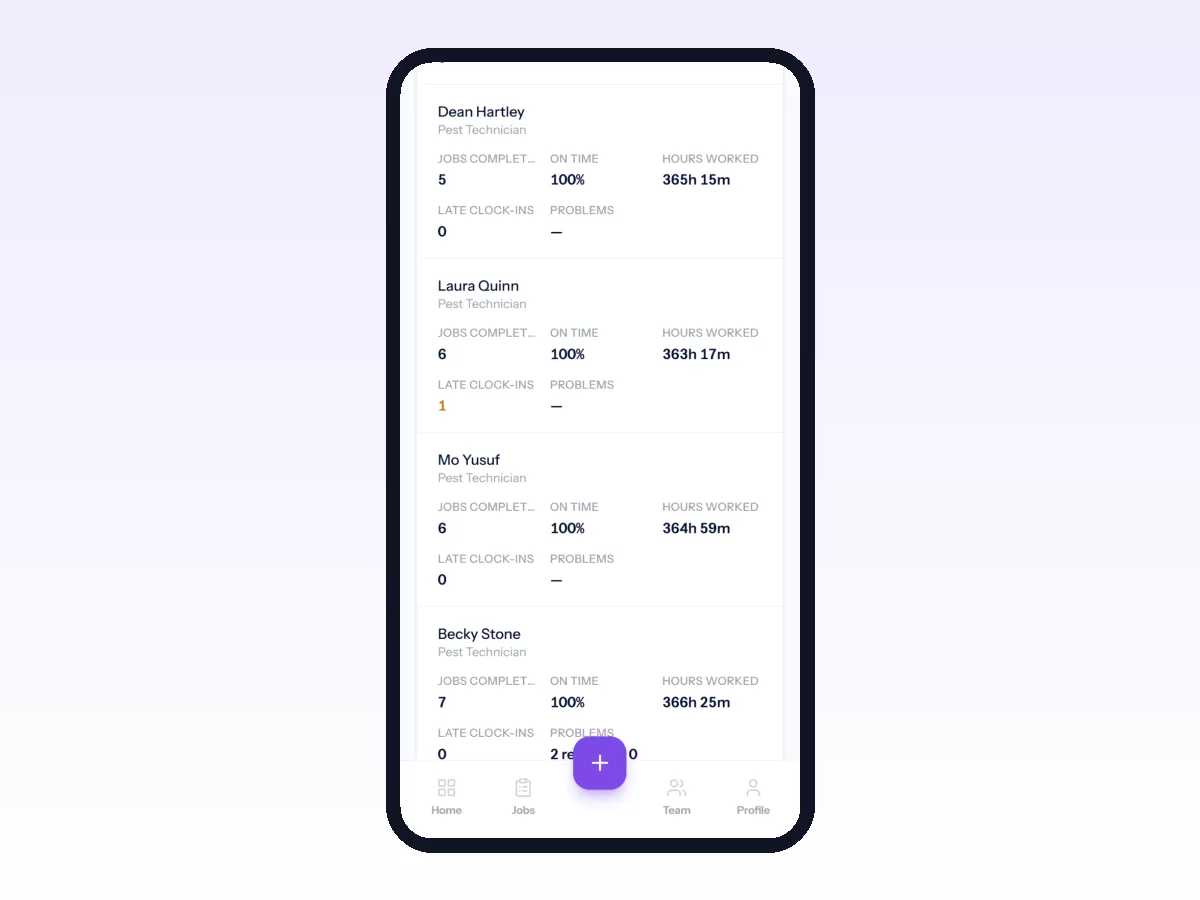
The supervisor view shows who is clocked in and since when, what each person is working on, their jobs today and those completed this week. It also lists the exceptions that need attention: overdue jobs, flagged visits and reported problems. The workforce report gives each person's weekly numbers, and you can save reports and send them on a schedule as CSV or PDF.
Related reading: field service reporting, field service KPIs and how to manage a distributed field workforce. Or start free.
Related: Construction Daily Reports: What to Record and How · How to Build, Save and Schedule Reports