Field Workforce Management Software: A Buyer's Guide
Which features matter, which are nice to have, and the questions to ask any vendor before you move your field team onto new software.
When you choose field workforce management software, the length of the feature list matters much less than whether your field team will actually use the product every day. The best system on paper fails if technicians go back to WhatsApp after a week.
This guide covers what to insist on, what is worth having, and the questions that tell a good fit from an expensive mistake.
Start with your own workflow
Before you look at any software, write down one ordinary job from start to finish:
- How does the request arrive?
- Who decides who goes, and how?
- What does the person in the field need to know before they arrive?
- What do they record on site?
- How does the office find out it is done?
- How does the customer find out?
- How does it reach billing and payroll?
Then make every vendor walk through that job in their product, on a phone, instead of a scripted demo on a laptop. The gaps show up quickly.
Must-haves
Your field team uses these every day. If any one is weak, the rest does not matter.
A field app people will use. It should be fast and simple, work on the cheaper Android phones your team actually carries, and be usable with one hand. Ask to install it on a technician's phone during the trial.
Offline that really works, which means more than "view-only offline". Technicians must be able to move jobs forward, tick checklists, add photos and notes and clock in without signal, and have it all sync reliably afterwards. See why offline mode is non-negotiable.
Jobs with evidence: checklists, photos, notes, parts used and the customer's signature, all attached to the job and searchable later. See work order management.
Dispatch that shows the whole picture, with unassigned work next to who is available and reassignment that notifies the technician immediately.
Attendance from the phone. Staff clock in and out with location, and breaks, lateness and overtime are worked out from your own rules. See field employee attendance tracking.
Roles and permissions. Technicians see their own work, supervisors see their team, and salaries are visible only to the people who should see them.
Worth having
These make the difference between a tool you put up with and one that saves real time:
- A customer portal, so customers can raise requests and follow their own jobs instead of ringing the office. See the customer portal for field service.
- Assets and service history, so every piece of equipment carries its own record of visits, parts and faults.
- Recurring jobs, so maintenance contracts and repeat visits create themselves.
- Inventory, so parts used on jobs come out of stock without a separate spreadsheet.
- Reports on the numbers that matter, such as first-time fix rate, on-time performance and utilisation. See field service KPIs.
- HR and payroll in the same system, so attendance, leave and expenses reach payslips without re-typing.
Nice, but check before paying for it
- Route optimisation is useful for teams doing many short visits a day, and less so for teams doing two or three long jobs. Ask how it handles traffic and what happens when the day changes.
- AI features help when they save a real step, such as suggesting who to send. Ask what data they use and whether you can see why they suggested what they did.
- Integrations: ask which exist and work today, not which are "on the roadmap".
Questions to ask every vendor
- Can we see the field app on our own oldest phone?
- What exactly works offline, and what happens if the office changes the same job while the technician is offline?
- How do we get our customers, sites and equipment in? Ask for a sample import.
- Who can see salaries and bank details by default, and can we change that?
- What happens to our data if we stop paying, or move to a smaller plan?
- How is it priced as we grow, and do customer logins count as users?
- What does it deliberately not do? A vendor who answers this clearly is one you can trust.
Red flags
- The demo is only ever shown on a laptop.
- Offline is described as "coming soon" or "limited".
- Every feature you ask about is "configurable", but nobody can show it configured.
- The price depends on a call, even for a small team.
- There is no way to try it with your own jobs before paying.
How to run the trial
Pick one team, one job type and two weeks. Put every real job through the software during that time, including the awkward ones. At the end, ask the technicians rather than the managers whether they want to keep it. If the field team would go back to WhatsApp tomorrow, keep looking.
What Movtro does, and what it does not
Movtro brings these into one system. It covers jobs with configurable stages, checklists, photos, notes, parts and signatures, and a service report PDF for the customer after each visit. You can add custom fields on jobs, customers, sites and assets, use your own words for job, technician and customer, and start from industry templates. It also has dispatch with a suggested assignee, recurring jobs and maintenance plans, assets and service history, inventory, a customer portal, attendance with location, offline working on the phone, reports and analytics, and HR and payroll. It runs as an Android app on Google Play and in any mobile browser.
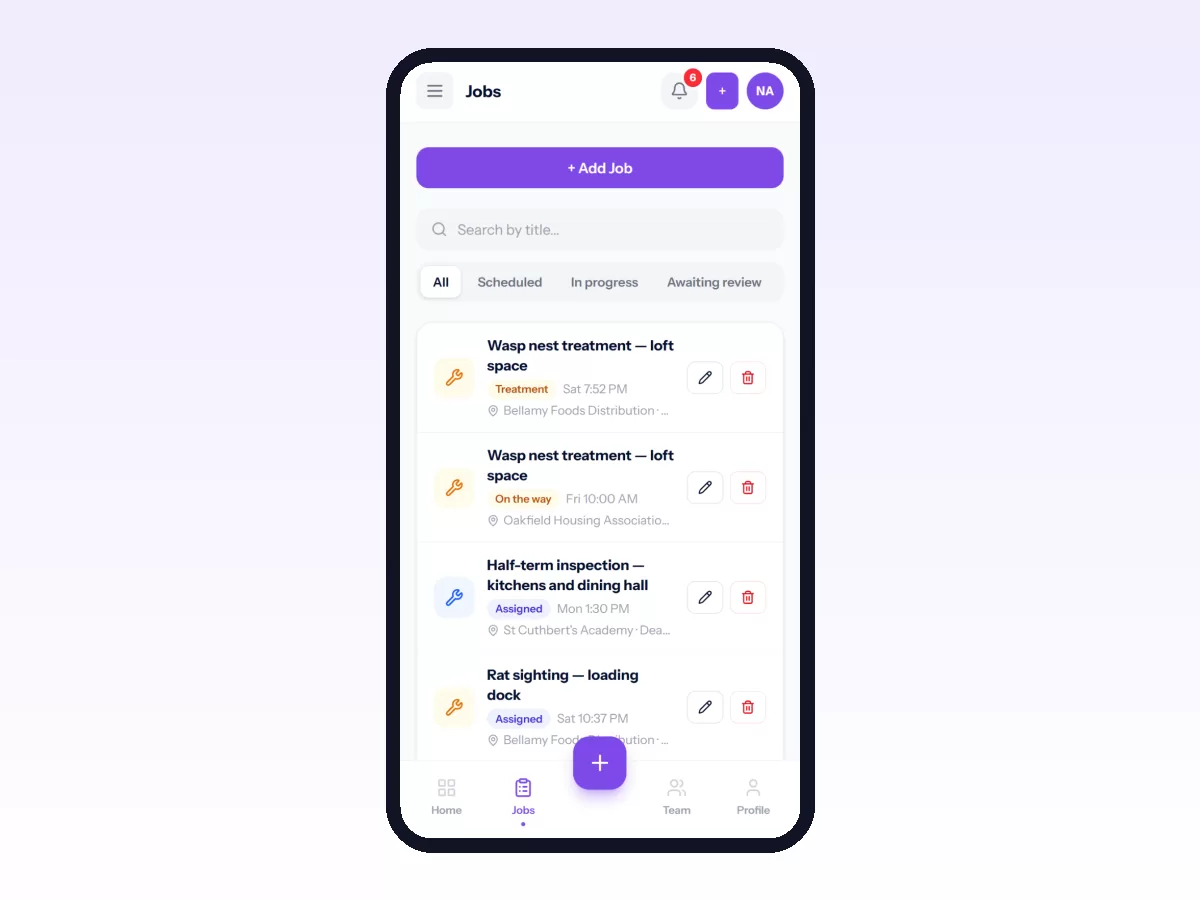
The gaps matter just as much. Movtro does not yet optimise routes automatically or use live traffic; routes are planned and reordered by hand with estimated travel times. It has no sales territories, targets or order booking. Checklists are set per job type and can ask for a tick, yes/no/N/A, a number with an expected range, short text, a choice from a list or a photo. A follow-up question can be asked only on a given answer, questions can carry points against a pass mark, and a group of questions can repeat. Beyond that there is no free-form form builder. There is no native iPhone app yet, so iPhone users work in the browser.
For current plans, see the pricing page. The quickest way to judge it is to start free and put a real week of work through it.
Related: How to Choose Field Service Management Software · Field Service Software for Small Businesses