How Clock-In and Clock-Out Work, Including Offline
How to clock in and out from your phone, take breaks and share your location while you work, and what happens when you have no signal.
You clock in when you start work and clock out when you finish. Your hours, lateness and overtime are worked out from those times.
Clock in
Clock in from the Dashboard or from Team → Attendance.
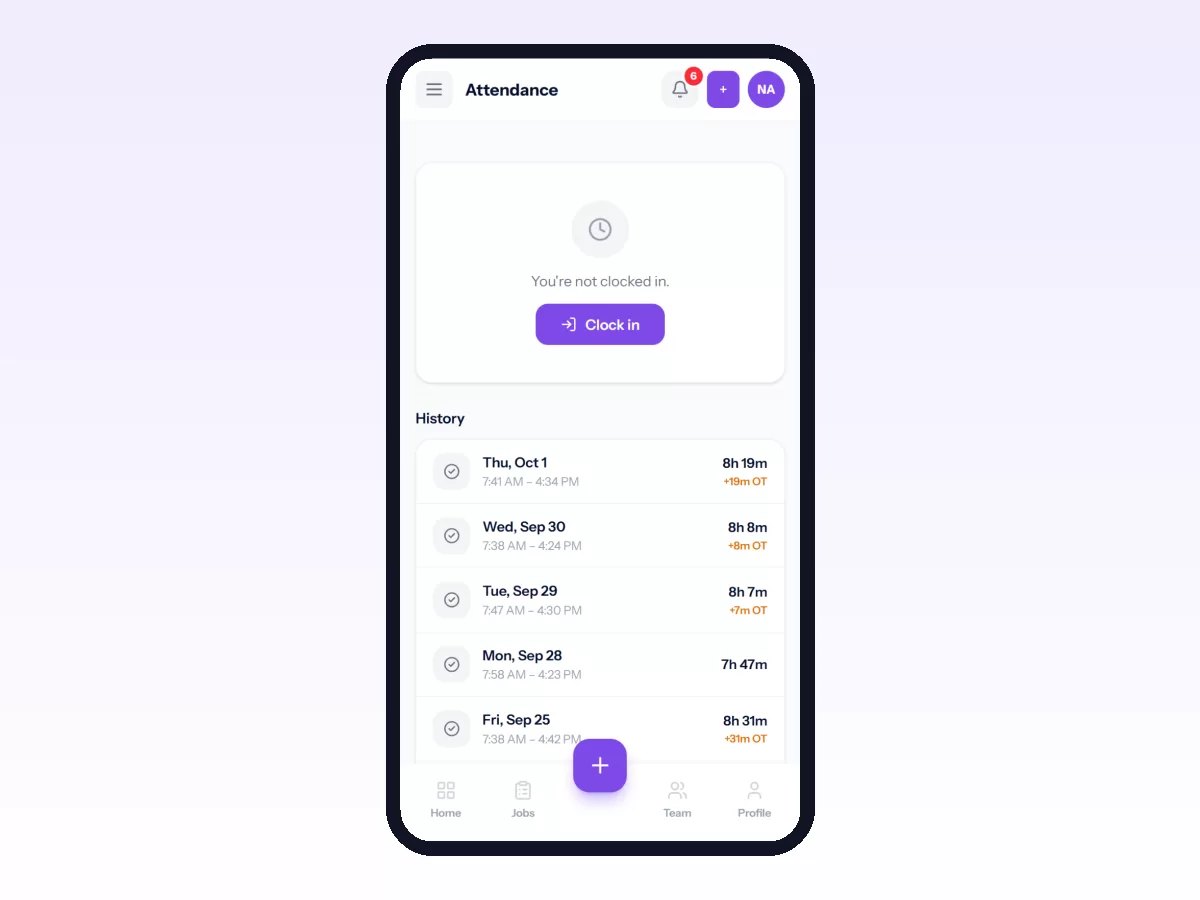
- Tap Clock in.
- If your company records location, let the phone share it. Finding your location… shows for a moment.
- You are clocked in, with the time and place recorded.
If you clock in later than your start time plus the grace period, the day is marked Late.
Your company may have given you a work location, such as an office, a depot or a site you are posted at. If so, Movtro checks you are there when you clock in. Depending on your company's setting, a clock-in from anywhere else is either marked Away from site or refused with a message saying how far away you are, for example "You are 1.4 km from Northside Depot. Clock in when you get there."
Take a break
On Attendance, tap Start break, then End break when you are back. End your break before you clock out.
Clock out
Tap Clock out at the end of your day. If you forget, you may get a reminder after your end time.
Live location while you work
Your company's setting decides whether your location is shared with dispatch while you are clocked in:
- If sharing is required, the Attendance screen tells you, and it stops as soon as you clock out.
- If it is your choice, switch it on or off on the Attendance screen.
- It is never shared while you are clocked out.
In the Android app, your route is recorded while you are clocked in, even with the screen off, and Android shows a notification the whole time. Your managers and supervisor can see the day's route. Recording stops when you clock out, and routes are deleted after 90 days. In a browser or from the home screen, only your latest position is shared, and only while Movtro is open.
Clocking in with no signal
If you have no connection when you clock in or out, the phone saves the clock-in or clock-out with the real time, and the screen says it will sync once you are back online. When the phone reconnects, it is sent automatically. Your hours use the time you actually tapped, even if it synced later.
Breaks need a connection. If you start a break offline, Movtro tells you to wait until your clock-in has synced.
See your history
The History section of Attendance lists your past days: clock-in and clock-out times, breaks, and any days marked late.
Common questions
I forgot to clock out. Clock out as soon as you notice, then tell your supervisor so they can correct the record if needed.
It won't find my location. Make sure location is on in the phone's settings and Movtro is allowed to use it. If you are indoors, move near a window.
I clocked in at the wrong place. That's fine. The record shows where you were, and you can mention it to your supervisor if it matters.